



Oppo Find X8 Ultra
Oppo Find X8 Ultra is a new smartphone that features a 6.82 inches QHD+ AMOLED display, Snapdragon 8 Elite Extreme Edition processor, 12GB RAM, and 256GB storage. It also includes a 50MP primary camera and a 32MP front camera. Oppo Find X8 Ultra also includes a 6100mAh battery pack, 100W charging, and runs Android 15 with ColorOS. Oppo Find X8 Ultra has launched in China but has not released in India.
Launched on: 10 Apr 2025
 China


All information is based on the China market launch. There is no news regarding its launch in India at this time.
Oppo Find X8 Ultra Benchmarks
System Performance
- CPU9,61,436
- GPU10,59,315
- MEMORY5,16,419
- UX6,45,931
- CPU Single-Core3,103
- CPU Multi-Core9,772
Battery Test
Charging Test

%

0-100% Charge in
37min
Ask Beebom
No questions yet
Be the first to reach out to the Beebom's team for your inquiries!



Oppo Find X8 Ultra Timeline
Oppo Find X8 Ultra is available for purchase in China in Starry Black, Moonlight White, and Morning Light colours. It is offered in 12GB + 256GB, 16GB + 512GB, and 16GB + 1TB storage variants.
Oppo Find X8 Ultra Full Specifications
General
- Box ContentsPhone, 100W Charger, Type-C Cable, Case, SIM Ejector Tool
- AvailabilityApril 16, 2025
- Launch Price¥6499
Display
Body
- Dimensions163.09 x 76.8 x 8.78 mm
- Weight226 grams
- FrontGlass
- BackGorilla Glass
- SideAluminium Frame
- Build QualityGorilla Glass
- PortsUSB Type-C 3.2, Infrared Port, OTG
- IP RatingIP68/69 (Dust and Water Resistant)
- SpeakerStereo Speakers, Dirac
Processor
- GPUAdreno 830
Operating System
- Operating SystemAndroid 15, ColorOS
- Software Updates5 year(s) of Software updates and 6 year(s) of Security updates
- AI FeaturesAI Anti-smear, AI De-glare, AI Elimination, AI Ultra HD Pixels, Circle to Search
Main Camera
Selfie Camera
Battery
Memory
Network
- SIMDual SIM (nano-SIM, dual stand-by)
- Technology5G, GSM, LTE FDD, LTE TD, WCDMA
- 2G Bands1800, 1900, 850, 900 (4 bands)
- 3G BandsWCDMA 1, 4, 5, 8 (4 bands)
- 4G BandsLTE 1, 3, 4, 5, 7, 8, 18, 19, 20, 26, 28a, 34, 38, 39, 40, 41, 42, 48, 66 (19 bands)
- 5G BandsSA/NSA 1, 3, 5, 7, 8, 20, 28a, 38, 40, 41, 66, 77, 78, 79, 80, 81, 83, 84 (18 bands)
- Speed5G, GSM, LTE, WCDMA
Connectivity
- PositioningGPS (L1+L5), QZSS (L1+L5)
- NFCSupported
Features
- Fingerprint ScannerUltrasonic (under display)
- Additional FeaturesHaptic Motor
Tech News
 iPhone 20 Pro Could Get a Tougher Titanium Frame Made With 3D Printing
Weibo leaker Fixed Focus Digital claims some parts of the iPhone 20 Pro's titanium mid-frame will be 3D printed. The leaker says it will make the frame a lot more durable. Apple already uses 3D-printed titanium in Apple Watch cases and the iPhone Air's USB-C port.
By Arjun ShaNov 27, '26 Galaxy S27 Pro and S27 Ultra Dummy Units Show Redesigned Camera Island in Hands-On Video
Samsung Galaxy S27 Pro and S27 Ultra dummy units have appeared in Black and White colourways. The Galaxy S27 Pro is close to the iPhone 18 Pro in size while the S27 Ultra matches the iPhone 18 Pro Max. While the dummies display four rear cutouts, one is likely a placeholder for the LED flash.
By Abubakar MohammedNov 26, '26 Realme 17 Pro First Look Leaks with OnePlus-Like Camera Island and 10,000mAh Battery
Leaked images show the Realme 17 Pro with a OnePlus-like camera module and a flat display. The phone is tipped to get a 10,000mAh battery, a Dimensity 7300 chipset and a 144 Hz display. While leak points to 65W wired charging, another tipster suggests 80W charging speed.
By Abubakar MohammedNov 26, '26 WhatsApp Could Soon Let You Send Stickers That Make Sounds
WhatsApp is rolling out a new "sound stickers" format to select Android beta testers on version 2.26.47.1. Users can convert videos into animated stickers and attach original audio, preset effects, files, or fresh recordings. To prevent noisy chats, sound stickers arrive muted by default and loop audio three times when tapped.
By Abubakar MohammedNov 25, '26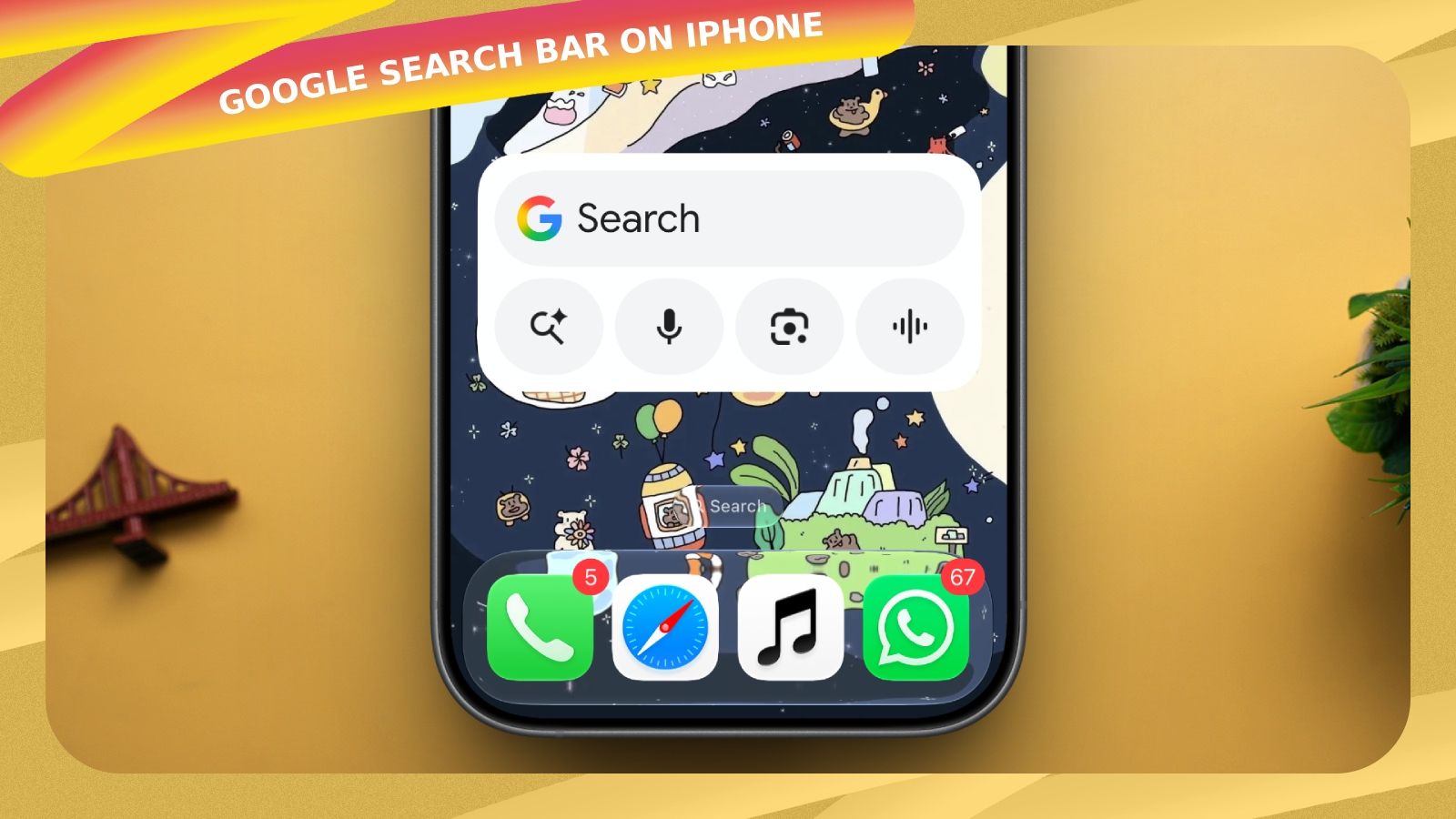 How to Add Google Search Bar on iPhone (2026 Guide)
You can add a Google search bar on your iPhone by adding widgets from the Google or Google Chrome apps. To add a search bar, long-press on the home screen and go to Add Widget > Google or Chrome > select a widget > Add Widget and tap on the tick sign. You can customise Google widget to open Voice Search, AI Mode, and Translate directly inside Google app or add these shortcuts to your lock screen for one-tap access.
By Ajaay SrinivasanNov 19, '26
Oppo Find X8 Ultra Key Highlights
| Processor | Snapdragon 8 Elite Extreme Edition |
| Display | 6.82 inches |
| Battery | 6100mAh |
| Rear Camera | 50MP |
| Front Camera | 32MP |
| RAM/Storage | 12GB/256GB |
Explore Oppo Phones


Explore Mobile Phones


Disclaimer: The price & specs shown may be different from actual. Please confirm on the retailer site before purchasing.