




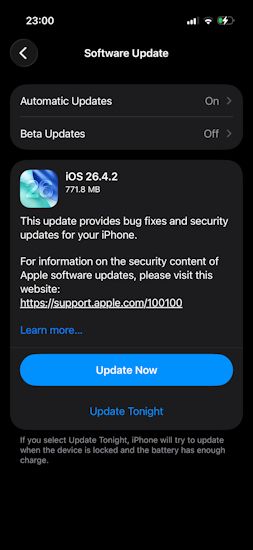
Earlier this month, Apple pushed a minor security-laden iOS 26.4.1 update to eligible iPhones. Now, after almost three weeks, the iOS 26.4.2 update is here as a follow up and it also improves the overall system stability along with fixing bugs and under-the-hood OS maintenances.
iOS 26.4.2 Update: What's New?
While Apple hasn't explicitly listed changes, an official Apple Support documentation page reveals that the iOS 26.4.2 update has fixed a major notification deletion issue. Previously, data from notifications marked for deletion were erroneously retained on the device for both first-party and third -party apps.
Now, with the new release, iOS 26 supported devices have been correctly marked for data redaction for logging issues, under the CVE-2026-28950 patch. Aside from that, the official Apple security release documentation has also mentioned patches to CVE-ID. However, the exact CVE patches have not been shared.
Related Articles

Should You Update to iOS 26.4.2?
Given that iOS 26.4.2 fixes a notable notification bug and improves the overall system stability, users are recommended to install the update as soon as possible. It makes for a seamless and risk-free iOS experience. The new update is available from users can download the iOS 26.4.2 update by heading to Settings -> General -> Software Update.
Related Articles


