


Apple has rolled out the second developer beta of iOS 27.3 and it brings Face Unlock to the iPhone Duo. Additionally, it brings new Siri AI features and, more importantly, clarity on how Siri AI usage limits will work.
iOS 27.3 Developer Beta 2 Update: What's New
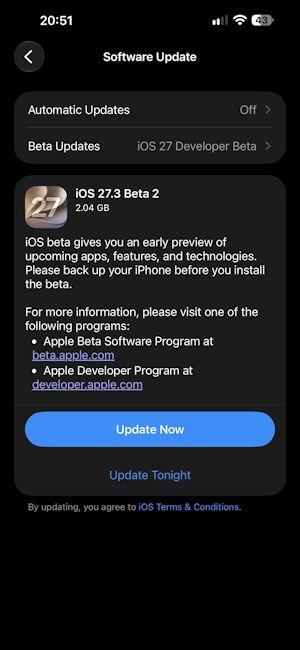
Apple released iOS 27.3 beta 2 to developers on November 16, 2026, about two weeks after the first iOS 27.3 developer beta arrived on November 3.
The biggest change in this beta is for the Apple iPhone Duo. iOS 27.3 beta 2 adds a new Face Unlock option under Settings -> Touch ID and Passcode, which uses the front camera to unlock the phone.
However, it comes with some limitations. Face Unlock only works when the iPhone Duo is closed and you’re on the Lock Screen, not when the phone is unfolded. It also isn’t a replacement for Touch ID.
You’ll still need Touch ID for Apple Pay and for accessing passwords, and Face Unlock only works if you’ve recently authenticated with Touch ID or your passcode. After about 45 minutes of inactivity, you’ll need Touch ID again.

There’s also a new Close to Lock toggle under Settings -> Display and Brightness. When it’s on, the iPhone Duo locks as soon as you close it, instead of moving whatever you were doing to the front display.
iOS 27.3 developer beta 2 also adds new Siri AI features. The highlight is the Ask About Page in Safari, which lets Siri AI read an entire webpage, including the parts you haven’t scrolled to yet, so you can ask questions about it.
Siri AI can now also access your Health data, but only if you give it permission. Apple has also improved how Siri AI controls smart home devices, although it hasn’t detailed exactly what changed.
This is the change many users will care about most. With iOS 27.3 developer beta 2, server-side Siri AI and Apple Intelligence features now have daily usage limits per device.
Apple had already warned that Siri AI would not be completely free and that expanded access would cost extra. Now we know how that extra access will work: it’s tied to iCloud+.
If you’re on an iCloud+ plan of 200 GB or more, you get higher limits:
| iCloud+ Plan | Siri AI and Apple Intelligence Usage |
|---|---|
| 200 GB | Up to 2x |
| 2 TB | Up to 5x |
| 6 TB | Up to 10x |
| 12 TB | Up to 20x |
The limits apply to complex, multi-step Siri AI requests, image generation and editing, AI workflows and automations in Shortcuts.
It also extends to third-party apps that use Apple’s Foundation Models through Private Cloud Compute. However, simpler, on-device tasks shouldn’t count towards them.
Related Articles

Other Changes in iOS 27.3 Beta 2
Beyond the big features, iOS 27.3 developer beta 2 brings a handful of smaller changes across Apple’s apps:
- Calendar: Search and the add-event button have moved to the bottom of the app, and the Today button now shows the current date.

- Apple TV app: Free video podcast episodes are now available.
- Apple News+ Puzzles: Puzzles are expanding to more regions. Australia gets the quick crossword, crossword mini, Sudoku, Quartiles and Emoji Game. The UK gets the quick crossword, crossword mini and Sudoku. Meanwhile, French Canada gets Quartiles and Emoji Game.
- Home: A new "Unrecognised People" section lets you limit what guests can do with Safari and Siri on your Apple home devices.
- Weather and Apple Music: The beta includes 10 new weather condition icons and code for album release countdowns in Apple Music, but neither appears to be active yet.
These changes build on what iOS 27.3 beta 1 already added. They include a redesigned Health app with new Insights and Longevity tabs, Vertical Tabs, Adaptive Dark Mode in Safari, horizontal Reachability on the iPhone Duo, and more.
Related Articles

How to Install iOS 27.3 Developer Beta 2
If you’re enrolled in the developer beta programme, you can install the update by going to Settings -> General -> Software Update -> Beta Updates and selecting iOS 27 Developer Beta.
If you haven’t set it up yet, here’s how to install the Apple iOS 27 developer beta on your iPhone.
Apple hasn’t announced a release date for the stable iOS 27.3 yet. With two developer betas out already and plenty of new features still being added, the stable update will probably take at least a few more weeks to arrive.
We’ll let you know as soon as it’s available for everyone.
Related Articles


