





It has only been a week since the iOS 26.5 Public Beta 2 update was released and Apple has now already pushed iOS 26.5 Public Beta 3. It follows the foundation of the previous iOS update and builds on it with incremental improvements instead of massive new feature additions.
iOS 26.5 Public Beta 3 Update: What's New?
The latest iOS 26.5 public beta 3 update comes right after Apple introduced key new changes to Apple Maps for iOS 26 supported devices. Apple Maps users will now notice a new "Suggested Places" feature that recommends locations, places and relevant details based on trending places data and recent search results. It is similar to what Google Maps has been offering for years and is designed to help users discover more about their vicinity.
Also, the third iOS 26.5 public beta update builds on the foundation of sponsored adverts inside Apple Maps, introduced with the iOS 26.5 Developer Beta 1 update. Businesses can now promote their places on Apple Maps and these will also be part of the Suggested Places results.
Moreover, iOS 26.5 public beta 3 expands the new interoperability features in the EU further, to comply with the requirements of the Digital Markets Act. Also, third-party smartwatches will now be able to receive notifications from iPhones running iOS 26.5, which was previously impossible. Even Live Activities will sync to third-party applications and devices, making the process of using an iPhone with non-Apple products smoother and easier. Both features are currently under testing and should roll out with iOS 27.
Lastly, just like the iOS 26.5 Public Beta 2 update, the third public beta also explores the possibility of flexible app subscriptions, wherein Apple will also provide monthly subscription plans and discounted annual plans.
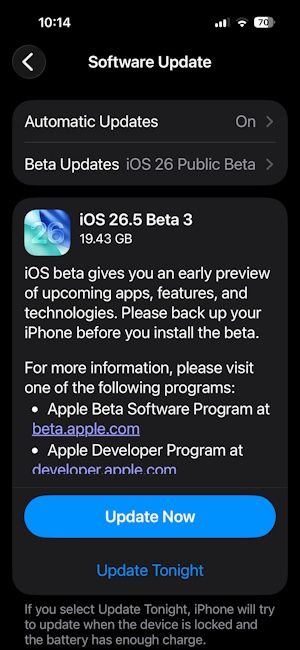
That said, the iOS 26.5 Public Beta 3 update is currently rolling out from the iPhone 11 to the iPhone 17e. Users can download and install the 19.43 GB update by navigating to Settings -> General -> Software Update -> Update Now, or follow our quick guide on how to install iOS 26 beta on your iPhone to make things easier.
Related Articles


