




Apple released the iOS 27.2 Developer Beta 1 update out of the blue and users have spotted a new handy feature. iPhones running the latest software update can now remind users of key events when they call someone on an important day.
As spotted and outlined by MacRumors, the iOS 27.2 Developer Beta 1 update has added a new anniversary reminder feature inside Call Context. For those unaware, introduced with the iOS 27 stable update, Call Context can extract relevant information from emails and other sources when an iPhone user places a call.
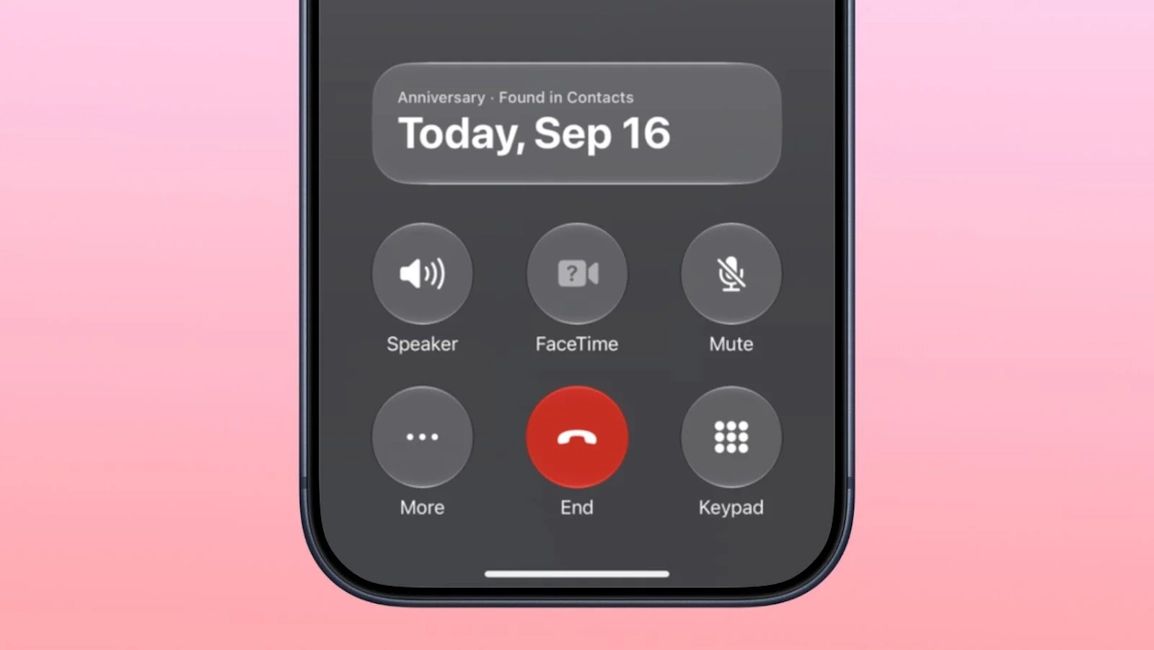
Previously, Call Context was able to only show birthdays saved inside the Contacts app. The feature would show a firework animation when the recipient's birthday was on the same date. Now, Call Context can also pull up anniversary information and show it to the caller as a reminder on the call screen.
However, do note that Call Context can only pull up the anniversary data if the user has saved it for the particular contact in the Contacts app. The process to do so is fairly simple:
- Open Contacts and select the person you want to add an anniversary date with
- Tap Edit in the corner
- Tap add date
- Select anniversary, which appears as the first suggestion
If you have an iPhone that supports Apple Intelligence, you can also ask Siri AI to add the anniversary to a contact card rather than doing it manually.
Aside from that, it is worth remembering that Call Context works across the board. Adding dates to contact cards improves the reminders for birthdays too, not just anniversaries.
Related Articles


