





Last week, alongside the new iPhone 18 series and the foldable iPhone Duo, Apple also seeded the iOS 27 Release Candidate update for eligible iPhones. Now, a week later, the stable iOS 27 update is going official for everyone across the globe. The new software update brings revamped Siri AI features, granular Liquid Glass control and upgraded Parental Controls.
iOS 27 Stable Update Released for Eligible iPhones
Before releasing the stable iOS 27 update, Apple has also seeded eight Developer Beta and four Public Beta builds of the software update. Hence, with the latest release, the Cupertino brand has not added any new features.
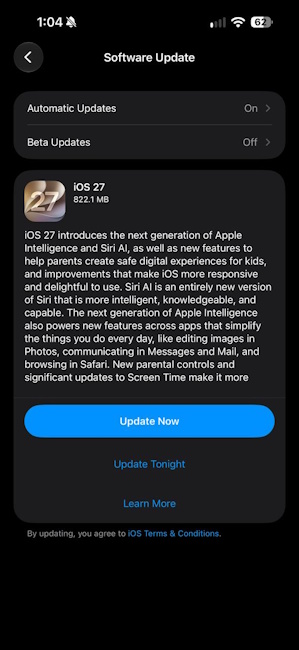
Instead, the stable iOS 27 update is all about bringing together all the features and improvements introduced with the past beta releases, now ready to ship to every iOS 27-eligible iPhone globally. The update is 822.1 MB in size and contains a brief intro about the stable release.
However, those who have skipped both the public and developer beta updates, the iOS 27 stable release is around 9 GB in size.
The biggest addition with iOS 27 has been the all-new Siri AI, replacing the age-old Siri with an agentic AI avatar. It now brings personal context understanding, allowing Siri AI to search across Mail, Notes, Messages, Reminders, Calendar, and Photos.
Broad world knowledge helps Siri AI to search the web for current information, bringing the current and up-to-date news and data to Apple iPhones. With on-screen awareness, Siri AI can see the contents of the screen and answer questions about it, like translation, summarising a document and more.
iOS 27 stable update has also added Pace and Expressivity sliders to customise Siri's voice, controlling how fast it speaks and how much personality it adds to the delivery, across seven voice options in English (US).
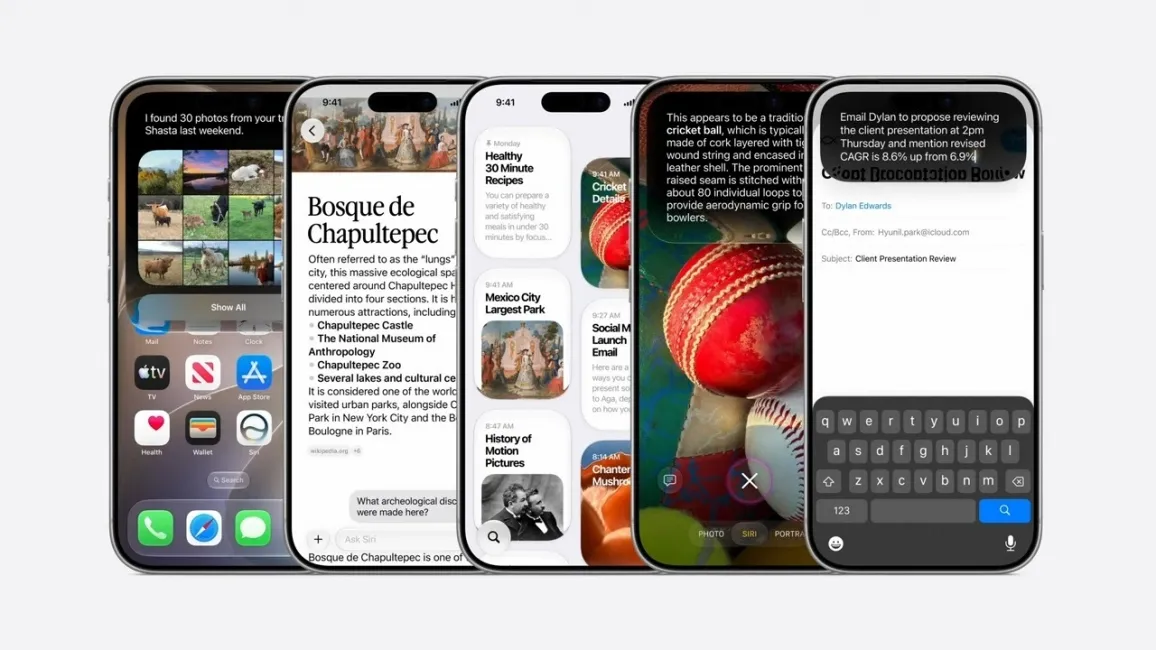
iOS 27 stable update also equips Siri AI with the ability to perform app actions like completing tasks inside apps, drafting an email reply, moving a meeting or adding photos to an album. There is also a dedicated Siri app with conversation history that syncs across devices and Siri now lives in the Dynamic Island, giving users the ability to invoke Siri AI by swiping down from the Dynamic Island.
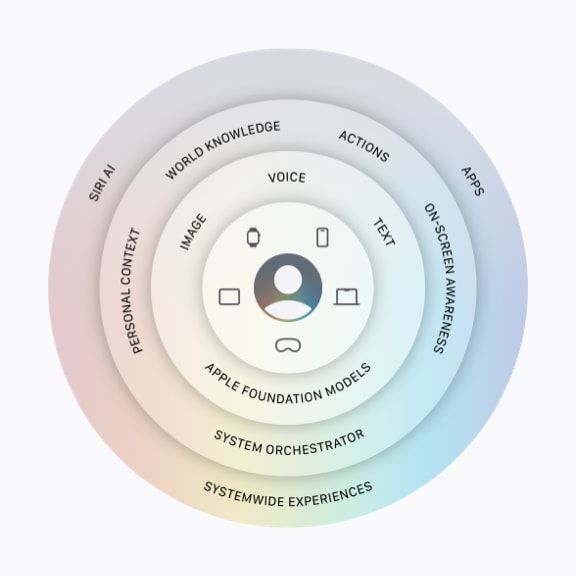
Apple has also built Apple Foundation Models, which run both on-device and on Apple's servers using Private Cloud Compute. While smaller Siri AI tasks are processed on iPhones, heavier and complex tasks are sent to what Apple calls the 'system orchestrator'. It lets Siri AI access core capabilities like the Spotlight index and an on-device App Toolbox, both of which run entirely on-device.
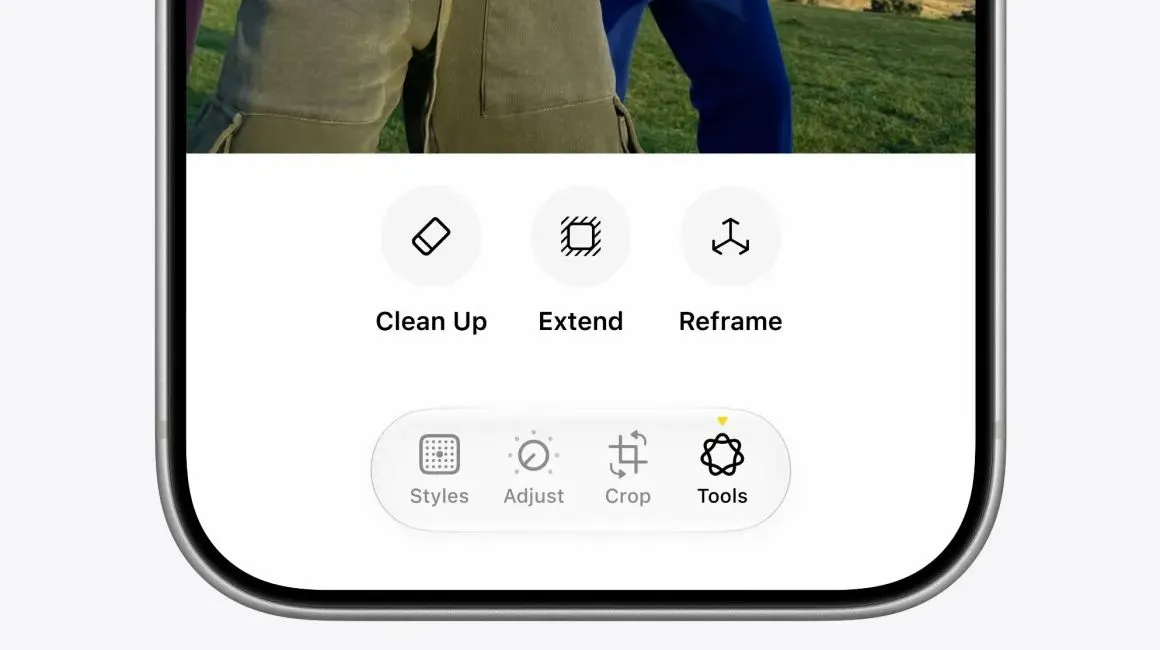
Moving on, with the iOS 27 stable update, Apple Intelligence features now extend well beyond Siri AI. Photos gain three AI editing tools. Clean Up is significantly better at removing objects and rebuilding backgrounds, Extend expands a photo's borders by generating new content, and Reframe changes the perspective of a shot using spatial data captured at the time.
Also, in the iOS 27 stable update, Safari can now automatically organise tabs by topic, build custom extensions from a plain-language description, and add Notify Me to watch a webpage for changes. Shortcuts can now be created by describing what you want in normal language, with Apple Intelligence assembling the actions.
Visual Intelligence has moved into the Camera app as a new Siri Mode. Users can now point the camera at a meal for nutritional information, a business card to import a contact, or a membership card to add it to Wallet.
The Passwords app can now automatically change weak or compromised passwords, and Image Playground generates images in any style, including photorealistic.
Apple has also updated Image Playground with iOS 27 stable release, to generate true-to-life photos, create images of people from your photo library and, finally, generate wallpapers with AI. Users can now generate wallpapers in Image Playground similar to Samsung and Nothing phones.
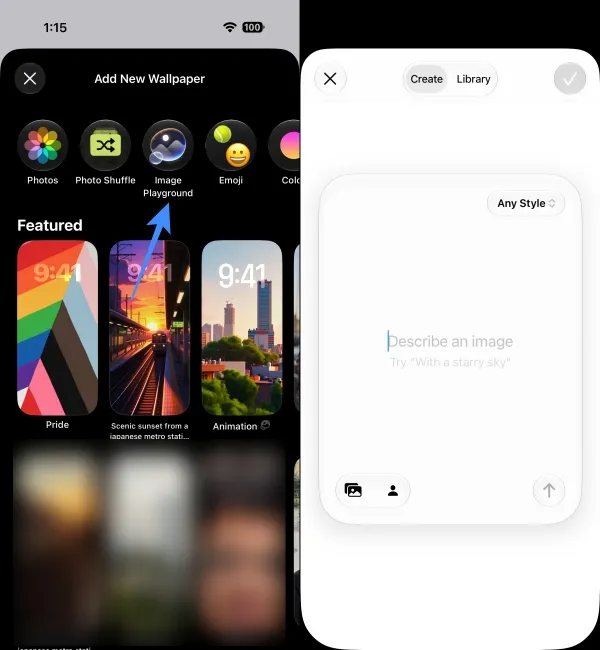
Image Credit: Beebom Gadgets
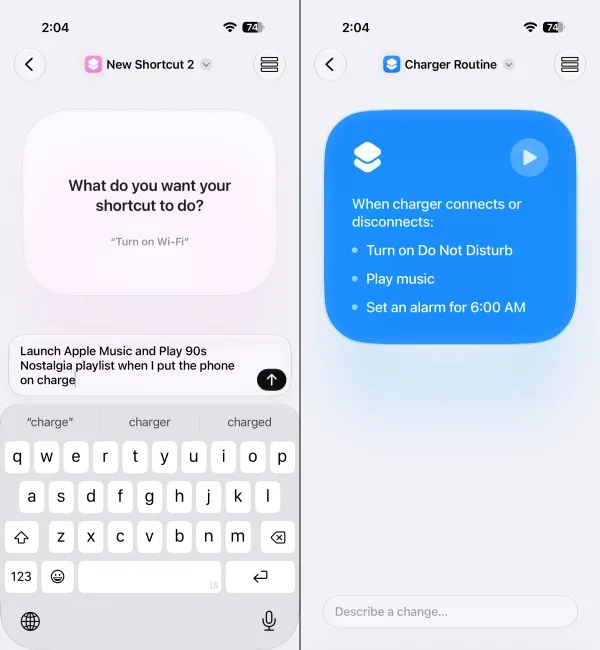
Image Credit: Beebom Gadgets
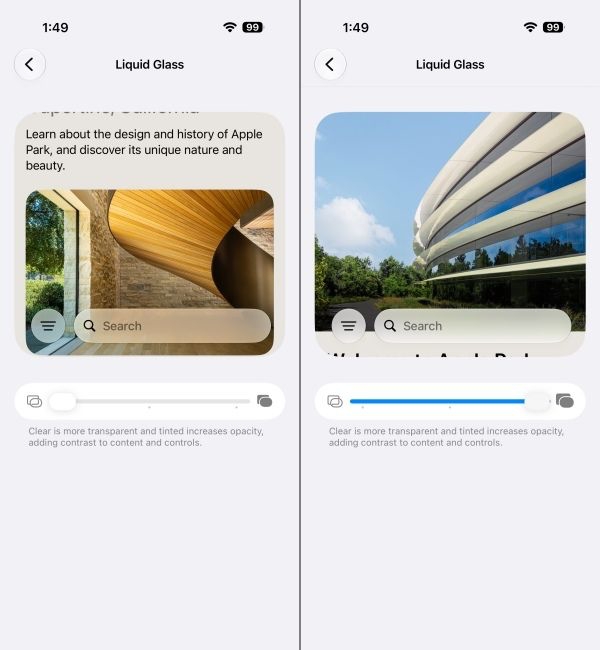
Beyond AI, Liquid Glass becomes customisable with iOS 27 stable update. Apple has added a new Liquid Glass slider in iOS 27, letting users adjust the level of intensity for transparency effects. iOS 27 now supports either a completely transparent look or a more frosted and translucent UI, adjusted for readability and accessibility.
Apple has also refreshed the look of the Safari, Preview, Siri and Settings icons to bring a more cohesive Liquid Glass look to them.
Parental controls have also been rebuilt. Screen Time is redesigned, Time Allowances let parents cap usage by app category, Ask to Browse requires approval for each new website, and Communication Safety now blurs gore and violence alongside nudity.
Aside from these, the iOS 27 stable update has also added an Automatic Downloads toggle inside the Apple TV app, ProRes log format support inside the Camera app and an option to enable or disable Connectivity Assist for individual Wi-Fi networks. The update also brings support for passes inside Apple Wallet and a custom EQ toggle for AirPods.
That said, the iOS 27 stable update can be downloaded by heading over to Settings -> General -> Software Update -> Beta Updates on eligible iPhones. For more clarity, those who are at least on the iPhone 11 can get the update, although the more advanced AI features will be limited to Apple Intelligence eligible devices only.
For more in-depth details about the latest iOS update, take a look at our dedicated iOS 27 review at Beebom Gadgets.
Related Articles


