


We are dialling it back to the 80s! Retro clothing, vintage props, light leaks, and grainy 80s-style portraits have taken over Instagram this week. A new 80s look AI trend is here, and people are turning to ChatGPT to transform their modern, picture-perfect photos into retro-style portraits. I mean, everyone’s asking: how would you look in the 80s? What is the prompt for the 80s photos trend? Let me answer it for you.
What is the Viral 80s Look Trend?
It’s not a new Instagram or Snapchat filter. As we mentioned above, people are using ChatGPT on their iPhones and Android phones to transform how a person would look if their existing photo were captured in the 1980s.
The 80s look trend asks the AI to retain the facial characteristics and only change the clothing, environment, and photo quality to match that era.
People are using simple back-to-80s ChatGPT prompts to make and share images that look like they were pulled from an old family album. I tried this 80s photo effect on some personal portraits last night, and I was taken aback by the result. It was like I was staring at my dad’s old pics from his Bombay trip in his 30s.
Enough chatter; let’s get to the part you’re here for. How do you participate in the latest 80s trend on Instagram? What prompt should you use to make your own 80s-style photo in ChatGPT? Keep reading for step-by-step instructions.
Related Articles

How to Create 80s Look in ChatGPT on Android and iPhone
For those wondering, you do not need a ChatGPT subscription to generate AI images, which is a big plus. But you will need to log in to the AI app to make them. So, not really privacy-friendly for many. If you are a new user, ChatGPT shows ads to free and Go users in India now, so be ready to see those between your 80s photo generations.
That said, for this tutorial, I’m using the ChatGPT app on my Apple iPhone 17. The steps are the same on Android, and you can follow them without hassle.
- Open the ChatGPT app and start a new chat.
- In the message box, tap on the Plus + icon on the left and select Photos.
- Upload a photo to ChatGPT where your face is clearly visible. Try to choose a portrait photo that is centred on you (or your partner and family), where your eyes are not covered, and there aren’t many other people (crowd) in the frame.
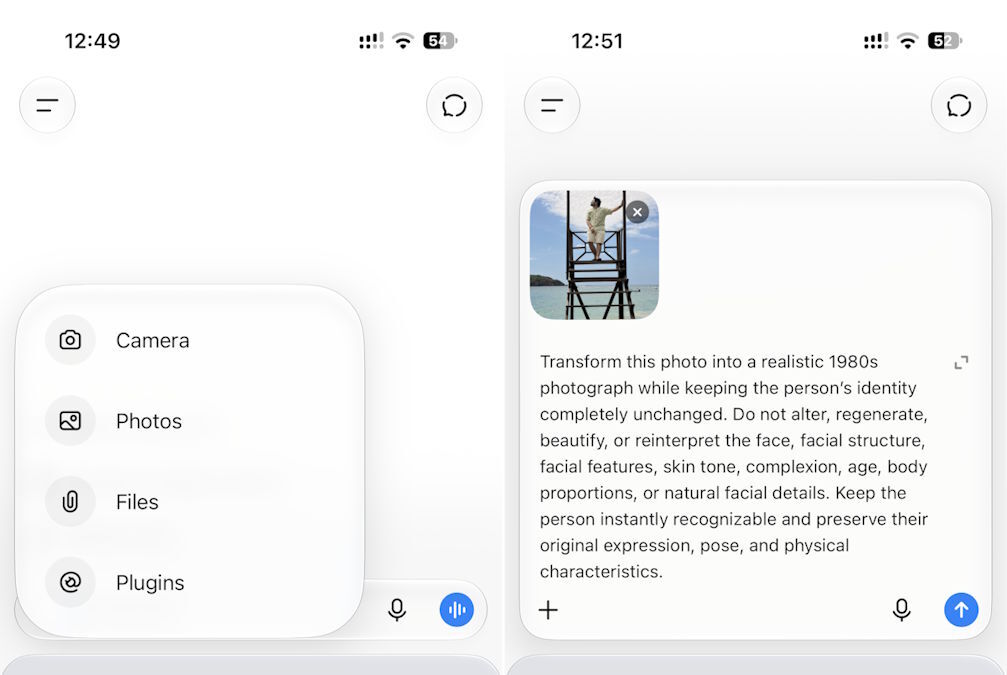
- Once you have uploaded the photo, there are two different ChatGPT prompts that you can copy and paste from here:
Related Articles

80s Trend Prompt 1
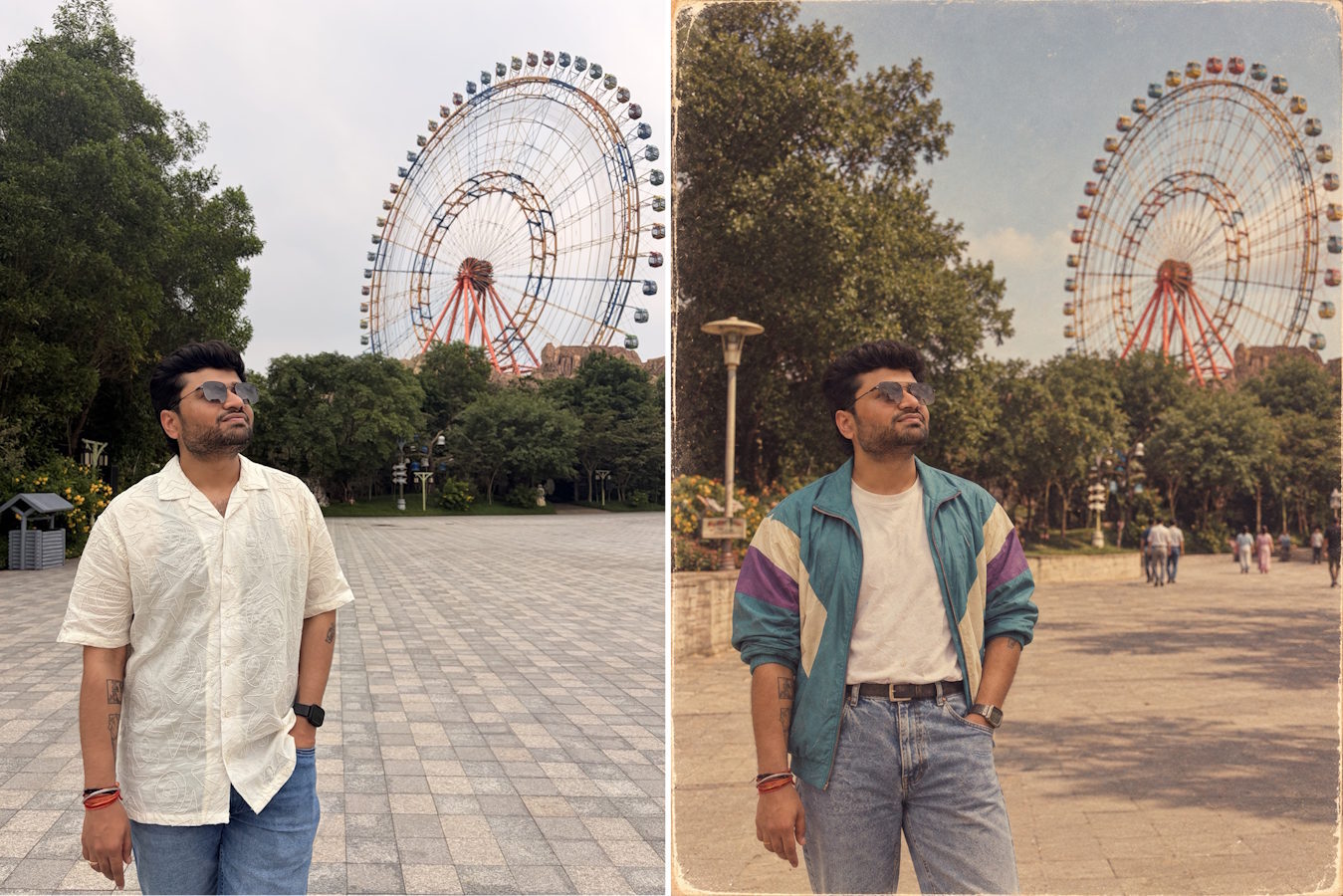
First, we have a simpler prompt that will help you produce photos with more voluminous hair, colourful jackets, and that cool 80s look you’re seeing on Instagram.
“What would I look in the 1980s. Don’t alter or change my face, but adjust the clothing and surroundings to be authentic to the 80s”
— simple prompt
Related Articles

80s Trend Prompt 2
Secondly, we have a more detailed prompt that tells ChatGPT to consider and alter the clothing, your surroundings, lighting, and photo quality to match the 80s. Copy and paste this detailed prompt for better results:
“Transform this photo into a realistic 1980s photograph while keeping the person’s identity completely unchanged. Do not alter, regenerate, beautify, or reinterpret the face, facial structure, facial features, skin tone, complexion, age, body proportions, or natural facial details. Keep the person instantly recognisable and preserve their original expression, pose, and physical characteristics.
Restyle the clothing, hairstyle, eyewear, shoes, jewellery, watch, and accessories with authentic, tasteful 1980s Indian fashion appropriate to the person and setting. Possible styles include colourful sarees, salwar kameez, printed shirts, structured blazers, high-waisted trousers, denim, traditional Indian clothing, and other believable 1980s fashion.
Adapt the background to genuinely feel like the 1980s. Preserve the original location, composition, architecture, landscape, and major recognisable elements, while replacing obviously modern objects, signage, vehicles, technology, furniture, and other details with believable period-appropriate alternatives. Keep the background natural and realistic, not artificially retro.
Make the entire image look like a genuine 1980s 35mm film photograph, with soft focus, subtle film grain, slightly faded yet natural colours, warm tones, gentle contrast, soft highlights, mild lens imperfections, subtle halation, natural skin texture, and light vignetting. Avoid excessive sepia, heavy grain, HDR, artificial skin smoothing, plastic-looking skin, or an exaggerated vintage filter.”
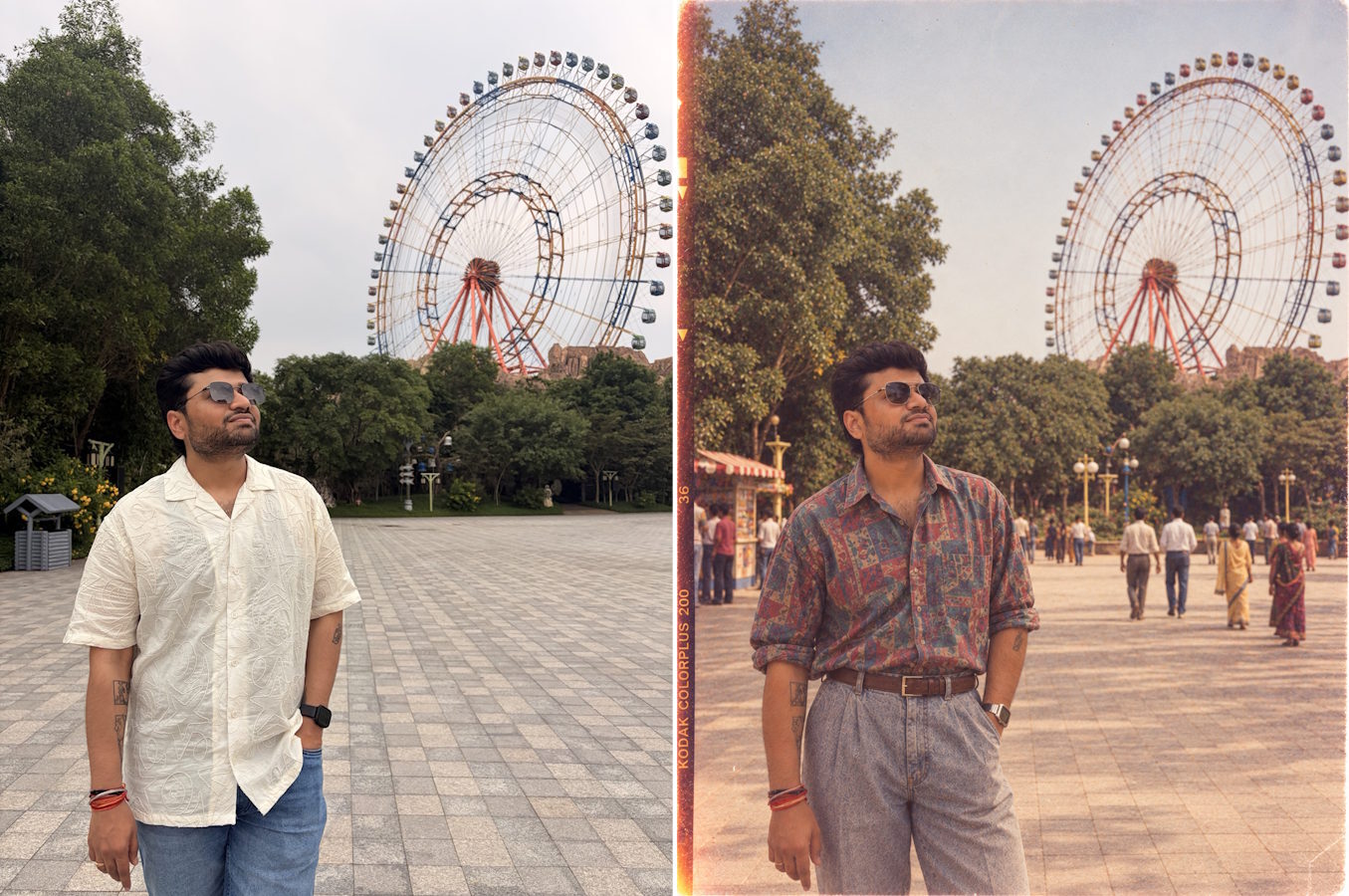
The final results look like a blast from the past. Most of the 80s look photos I got using these prompts in ChatGPT on Apple phones were good to go. However, since these images are generated using AI, they might need some additional editing or changes. You can tweak the images to your liking if the first output doesn’t feel up to the mark.
Moreover, you can try different 1980s-style portrait effects, be it old-school wedding, disco, or Bollywood vibes. You simply need to adjust the ChatGPT prompt we have shared above and add your request to the clothing or background section. You can swap out the shirt, hairstyles, and background individually as well.
We have already spent a fair amount of time living in the past while working on this post. It’s now your turn to create a retro 80s look photo of yourself and hit your friends with a blast from the past on Instagram.
Related Articles


