





Last year, Google made Quick Share compatible with Apple AirDrop, taking the Pixel and iPhone community by storm. It first arrived with Pixel 10 smartphones, bridging a big gap between Android and iPhones. Now, the Pixel 9 lineup has also joined the party, bridging the ecosystem gap further.
Quick Share AirDrop support now includes Pixel 9
The latest Pixel Phone Help support page has been updated to now include the Pixel 9, Pixel 9 Pro, Pixel 9 Pro XL and the Pixel P Pro Fold to the Quick Share and AirDrop support list. However, it has left the Pixel 9a out of the loop.
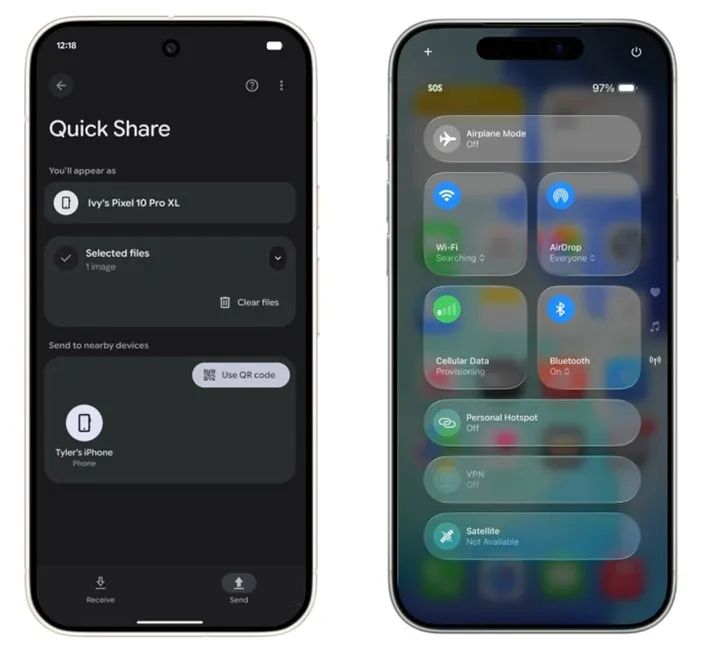
This means that starting today, the Pixel 9 lineup will also be able to seamlessly send and receive files between iPhones, iPads and macOS without needing to install any third-party application. This also simplifies the overall sharing process and eliminates any app limitation which might hinder a smooth and fast file transfer.
Google has confirmed that AirDrop support in Quick Share for the Pixel 9 series will roll out in phases in the coming weeks. As for why the Pixel 9a has missed out on this, there is no official explanation from Google.
To check and unlock the functionality, Pixel 9 users first need to head to Settings> System> Software updates> Google Play System update to install the latest Play Security build. After that, the Quick Share extension can be updated by going to Settings> All services> System services> Quick Share extension> update.
Related Articles


