


Google announced the Remembered Items tab and Motion Assist features in the Android September feature drop and are now rolling out in the latest Find Hub version. The dedicated tab acts as a smart digital memory to help users remember where they stored certain items, while Motion Assist aids those with motion sickness.
Find Hub Gets Remembered Tab, Android Gets Motion Assist
The feature is rolling out in Find Hub's latest release, version 3.1.732-02 and above. The Remembered tab appears in the bottom navigation bar and relies on seamless integration with Gemini. Motion Assist, on the other hand, is rolling out via Google Play Services on Android 17 and above smartphones.
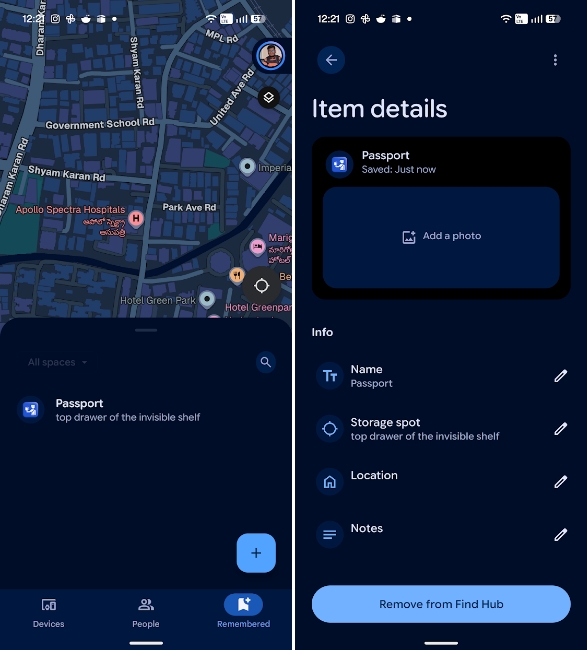
The Remembered tab supports adding items manually as well as via Gemini. Users add their first item in the Remembered tab by invoking Gemini with a voice command such as "Hey Google, remember that I put my passport in my bedroom drawer".
The prompt will be processed and will log both the specific item and its physical location in the Remembered tab, considering users have granted Find Hub Precise Location permission and have set it to Always allow.
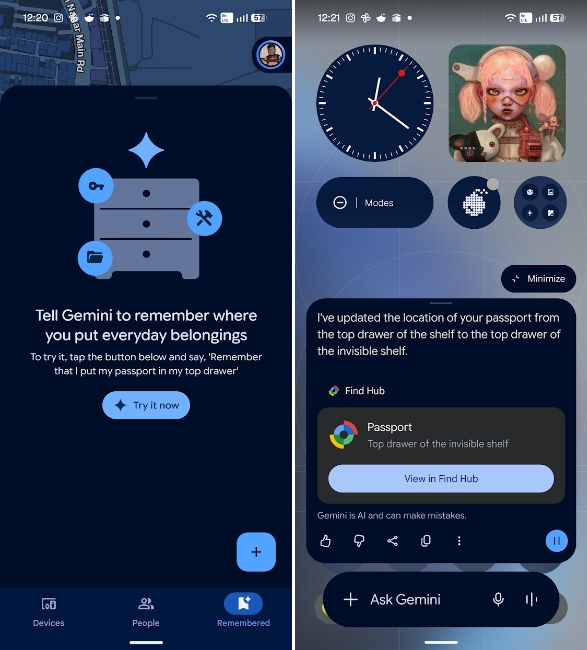
To make retrieval even more foolproof, the interface allows users to snap and attach a photograph to the digital log, giving them a clear visual reference. Retrieving information about stored items is quite straightforward and can be done using Gemini or manually by going to the Remembered tab in the Find Hub app.
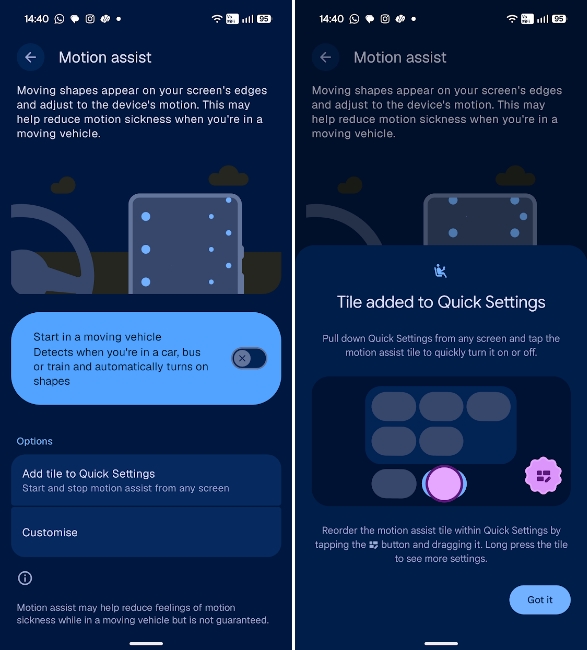
Motion Assist, on the other hand, can be turned on from Settings > Profile > All services and by tapping on Motion Assist under "Personal & device safety". Once enabled, the option can be added as a tile in Quick Settings and can be customised further.
That leaves the rollout of two out of four announced features pending, namely Google Keep in Messages and Guided Vision in Gemini. We should hear an official announcement upon their arrival soon, so stay tuned.
Related Articles


