




Motorola is expanding its Android 17-based rollout, with the Motorola Edge 70 now receiving the stable Hello UI update. It brings features such as stackable widgets, Live Updates, and smarter notifications, but it also leaves out one notable feature that was available in beta.
Motorola Edge 70 Android 17 Update: What's New?
The official Motorola help forum has posted the entire changelog of the stable Android 17 update for the Motorola Edge 70. The update has a total download size of 4.3 GB and carries the build number A17WRH.35-10.
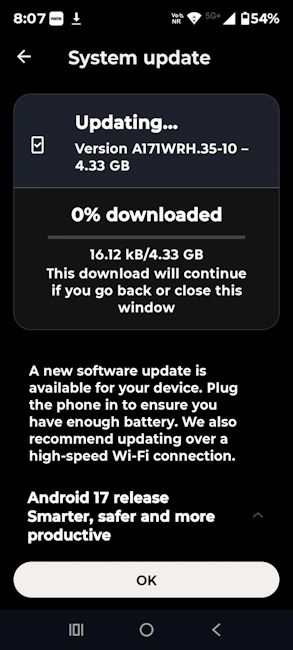
According to the official changelog, the stable Android 17 update brings the following new features to the Motorola Edge 70:
- Stackable widgets on the home screen
- Themed icons support
- The ability to hide Quick Settings labels when using Motorola's Classic layout
- Live Updates for ongoing information like deliveries and rides
- Notification summaries for busy chats
- Smart notification organisation, moving lower-priority alerts into quieter sections
- Enhanced HDR brightness controls
Alongside these feature additions, Motorola has also pushed several under-the-hood bug fixes, stability and performance improvements.
However, amid the flurry of new features, it seems the Motorola Edge 70 has lost one key feature that was available in the beta builds. Several users have reported that the depth-effect lock screen wallpaper is absent from the stable release.

A Motorola employee responding on Reddit confirmed that there is no official release date for the depth effect on the standard Edge 70. Users have been told to watch for future system updates or Moto Personalisation app updates instead, since the feature may arrive separately.
Motorola began beta testing Android 17 back in February 2026 and shared a broader list of eligible phones last month. However, the Edge 70 is only the second Motorola phone to get the stable release, after the Motorola Signature Android 17 update rollout in August 2026.
That said, to download the stable Android 17 update, Motorola Edge 70 users can head to Settings -> System -> System updates.
Related Articles


