


Nothing OS is one of the most aesthetically pleasing Android interfaces out there. But beyond the Nothing glyph lights features and the dot-matrix design, what really adds substance to all that style are its widgets. And they are not all made equal.
From the barebones Nothing OS 1.0 to the latest Nothing OS 5.0 update, every iteration has added more useful widgets than you’ll ever know what to do with. And after trying out several of them, here’s my list of the top Nothing widgets that you cannot overlook.
Best Official Nothing Widgets
With a spate of Nothing widgets floating around and limited screen space to put them on, choosing which widgets end up on your screen may get overwhelming. To aid your search, here’s my list of the Nothing widgets that I found most useful, with a few fun ones thrown in.
Related Articles

Away Time (Nothing OS 5.0)
Away Time is a digital wellbeing widget with a twist. Instead of measuring your screen time, it tells you how long you’ve gone without your phone.
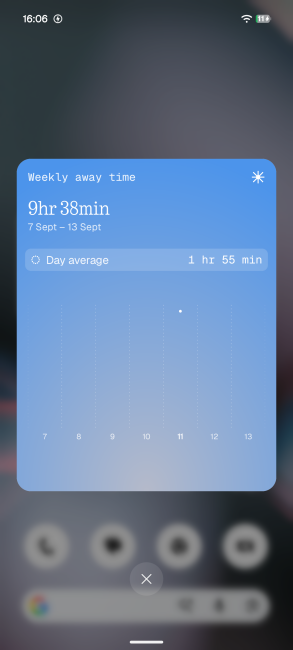
Image Credits: Beebom Gadgets
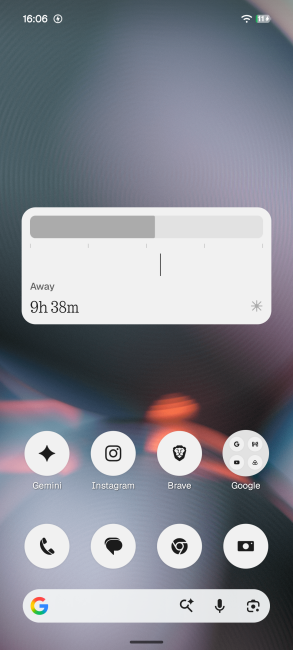
Image Credits: Beebom Gadgets
The widget begins counting as soon as you put your phone down, highlights your longest break of the day, and shows your weekly trend. It’s a very unique take on usage metrics that I see myself benefitting from immensely. Props to Nothing for thinking outside the box.
Related Articles

Glyph Timer (Nothing OS 5.0)
All Nothing phones (except the Nothing Phone 1) have the built-in Glyph timer – a visual timer that uses the Glyph lights to show the countdown progress. And that Glyph Timer is now a proper widget. As long as you have a Nothing OS 5.0-compatible phone, you can place the Glyph Timer widget where it’s most useful – right on your lock screen or home screen.
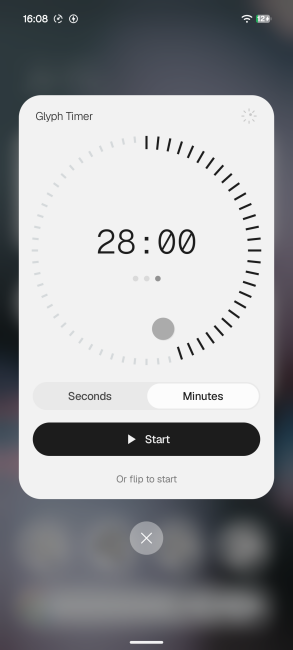
Image Credits: Beebom Gadgets
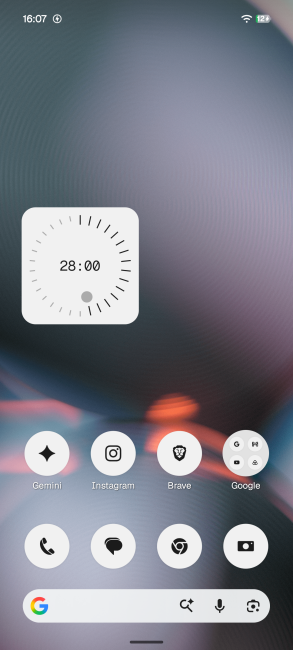
Image Credits: Beebom Gadgets
Earlier, you had to dig into the Glyph settings first, which really handicapped the feature. The widget is a welcome change that simplifies access to one of the better Nothing OS 5.0 features.
Related Articles
-Featured-Image-showcase-1120w630h.webp "Nothing Phone 4b vs Phone 3a Lite Comparison: Which One to Buy? thumbnail")
Pedometer
Sometimes a simple pedometer is all you need to get in your daily steps and get fit. For someone like me who doesn’t own a smartwatch (or a gym membership), the Nothing’s Pedometer widget has been a real godsend.
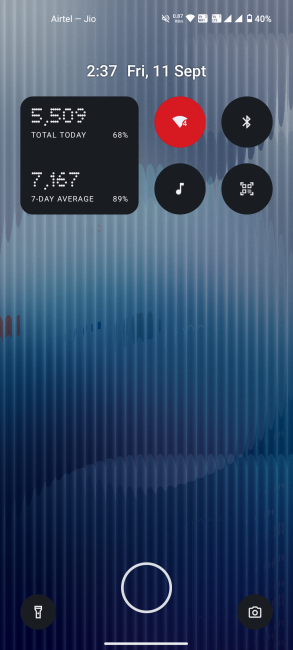
Image Credits: Beebom Gadgets
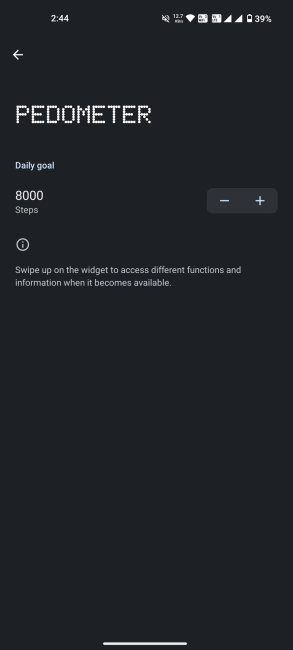
Image Credits: Beebom Gadgets
Available on Nothing OS 2.5 and newer versions, it lets me see at a glance how many steps I’ve walked, how far behind (or ahead) I am on my daily and weekly goals, and how long I’ve kept up my streak. It even prompts me to walk if I’ve been sitting for too long, which, of course, I ignore.
Related Articles
-vs-Nothing-Phone-(4b)-featured-image-showcase-1120w630h.webp "Nothing Phone 4b vs Phone 4a Comparison: Which One to Buy? thumbnail")
Recorder
The Recorder widget is small, minimal, and exactly what I want it to be. Press once to record, press again to stop and automatically save. The widget lets me choose if I want to record only the mic audio or both the mic and system audio, which is a nice touch. And that’s about it.
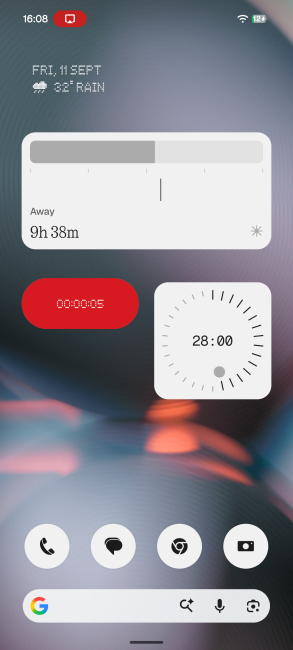
Image Credits: Beebom Gadgets
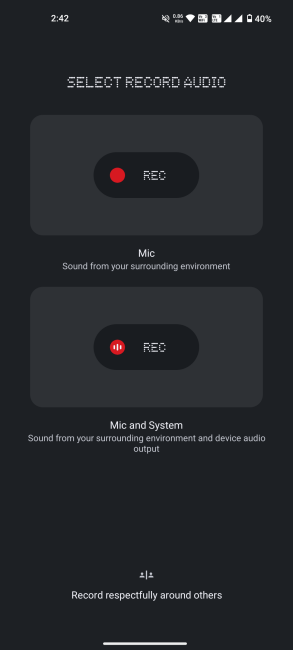
Image Credits: Beebom Gadgets
Sure, it doesn’t let me pause and resume a recording. But those extra features are better suited for the full-fledged Recorder app.
The only problem I have with Nothing's Recorder widget is that it cannot be placed on the lock screen, where it would be better suited for ad hoc recordings. Hopefully, that is something that Nothing can rectify in future OS updates. Recorder has been available since Nothing OS 2.5.3.
Related Articles

Quick Settings
For all the rest of the quick settings and smaller features I use daily, I really can’t look past the all-in-one Quick Settings widget that's been here since day one. Be it toggling the Wi-Fi and Bluetooth switch, sharing the occasional hotspot, scanning QR codes, enabling location access, starting Focus mode, or doing a song search, the quick settings widgets are perhaps my most-used widgets. For that reason alone, they make it to this list.
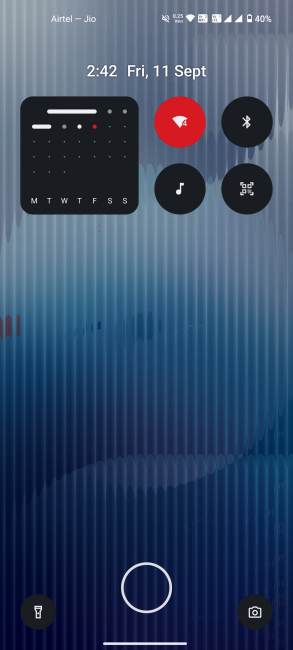
Image Credits: Beebom Gadgets
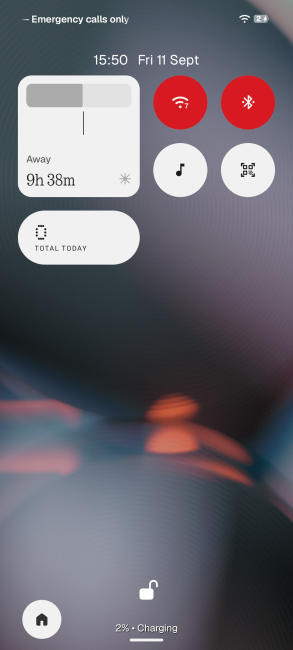
Image Credits: Beebom Gadgets
And since some app functionalities, like ChatGPT chat and Amazon search, end up as quick settings tiles, they become available as widgets too.
Snake Game
While I lean more towards widgets with practical everyday utility, I’d be remiss if I didn’t mention a few gems I’ve found along the way.
The snake game needs no introduction. It is the OG of mobile gaming that still manages to keep me immersed. Nothing’s dot-matrix style seems perfectly suited to the game. In fact, I’ve had this late-90s Nokia game on my home screen ever since it released on Nothing’s Community Widgets app.
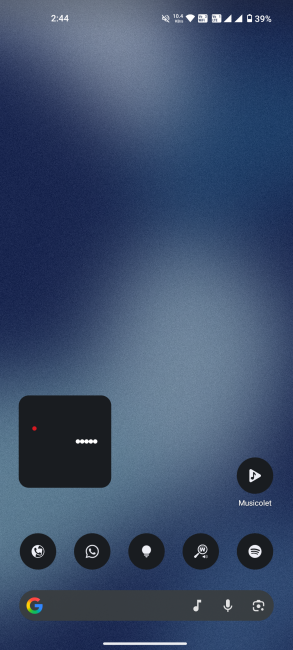
Image Credits: Beebom Gadgets
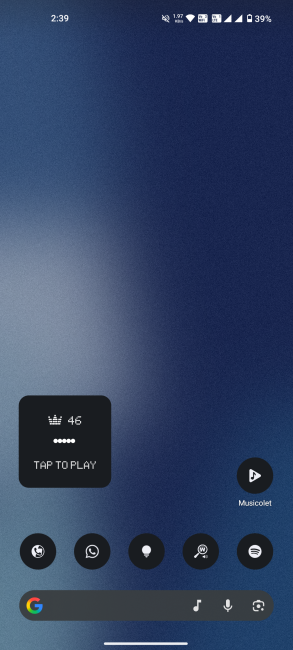
Image Credits: Beebom Gadgets
It works simply. Swiping on the widget changes the direction of the snake, and the whole thing fits inside a 2x2 grid. The uncomplicated ease of it all is enough to transport me back to a simpler time. Nostalgia, anyone?
Quick Look
Quick Look is Nothing’s version of Android’s ‘At a glance’ widget. Functionally, it serves the same purpose, that is, to highlight upcoming calendar events and reminders and show the weather. But because it follows the Nothing theme as the rest of the widgets, it gets an honorary mention on my list.
Best Nothing Playground Widgets
To add to the official widgets, there’s also Nothing Playground, an AI-powered widget maker that lets Nothing users experiment, create, and share custom widgets (also called Essential Apps) with the community. Despite being extremely minimal, some of these widgets end up being more useful than the official ones.
Note: Nothing Playground and its widgets require Nothing OS 4.0 or higher.
Sticky Note
This is a very basic tap-and-write sticky note widget. There’s space for only a single note, which can take up to 70 characters, so it’s useful for taking short notes only.
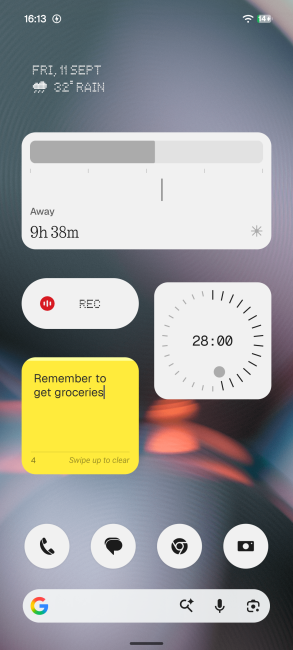
For anything longer that may require more advanced organising features, you can choose from several awesome AI note-taking apps out there.

Metro guide
Of all the widgets on Nothing Playground, I never expected to see a widget dedicated to Indian metro railways. But here it is.
This widget lets you view the complete line map for metros in nine Indian cities, including Bengaluru, Delhi, Mumbai, Chennai, Hyderabad, Kolkata, Kochi, Pune, and Ahmedabad. No Noida Metro, unfortunately.
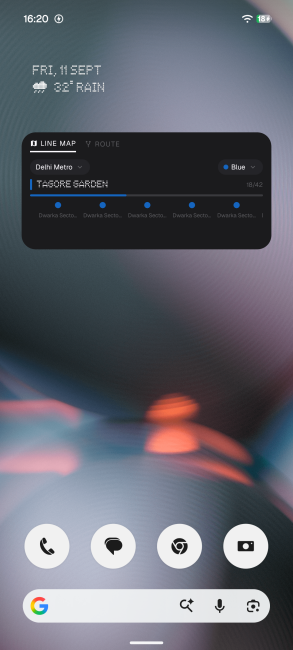
Image Credits: Beebom Gadgets
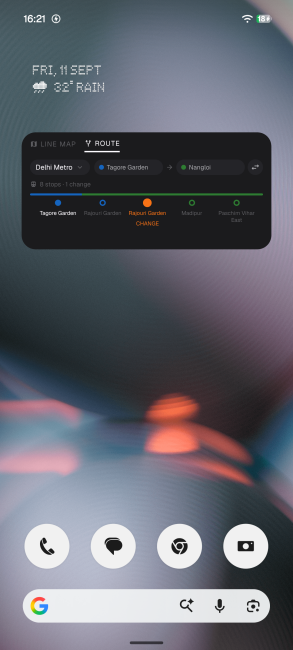
Image Credits: Beebom Gadgets
You can select your boarding station and destination to find the exact route, as well as get details for interchange stations and colour-coded metro lines.
This little widget has been super useful for my commutes, especially when I’m taking the metro to visit new places. With it, I can get all the necessary details right from my home screen, without ever having to open the local metro app.
Life in Dots
This widget is perfect for those who like to keep track of the passing time. At a single glance, it shows how much of the year, month, day, and hour have passed. Each unit of time is marked, along with percentages to signify how much time has elapsed, and red dots that show the present time.
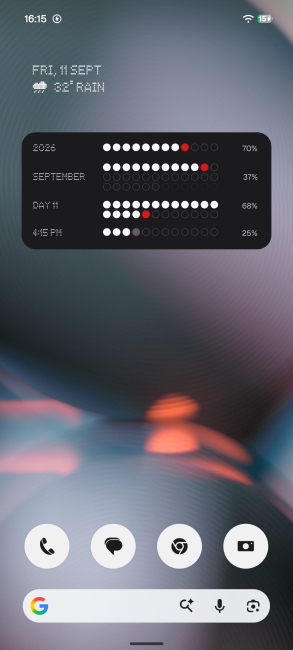
Although I’m not chasing any major goals or resolutions this year that would require such intensive tracking, seeing the slow march of time feels satisfying in its own existential way.
Green LED Sign
Among the many widgets that add a personal flair to the Nothing phone screen, this is one of my favourites.
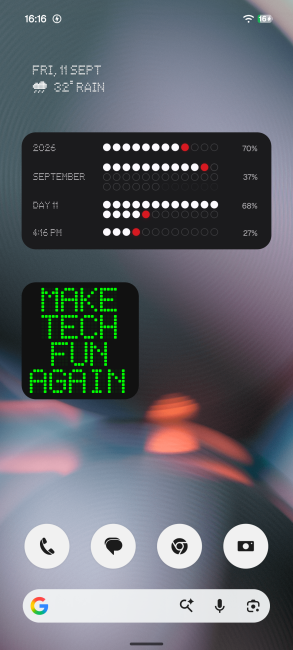
Image Credits: Beebom Gadgets
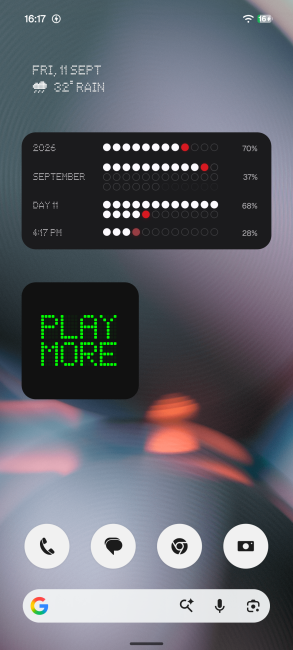
Image Credits: Beebom Gadgets
In big LED lights, it lets me put any quote or slogan on my home screen. Its purpose ends there. But for my weekly dose of inspiration, I regularly seek out this bright green widget.
Live sports updates
One of the best uses of widgets is having pinned live scores on your screen. And whatever sport you may be into, there’s a Nothing Playground widget for it. Here are a few that caught my eye:
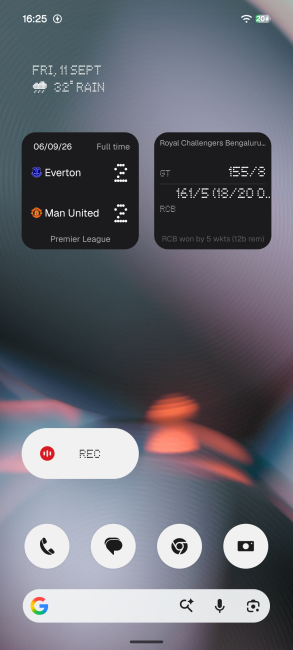
Nothing Playground and its Essential Apps continue to grow. Nothing’s Essential Apps is now also a dedicated native app, so expect even better system integrations and customisation options for these widgets going forward.
That wraps up this list of the best Nothing OS widgets you can use on your phone. Some of them truly open up new ways of using your Nothing phone and let you add your own touch or personalisation.


