




Apple has released the iOS 27 public beta 3 update, bringing the latest batch of refinements and feature additions to general iPhone users. This arrives just one day after the iOS 27 developer beta 5 build was seeded and brings all the meaningful additions, including Siri AI features, updated iconography, Parental Controls and more.
iOS 27 Public Beta 3 Update: What's New?
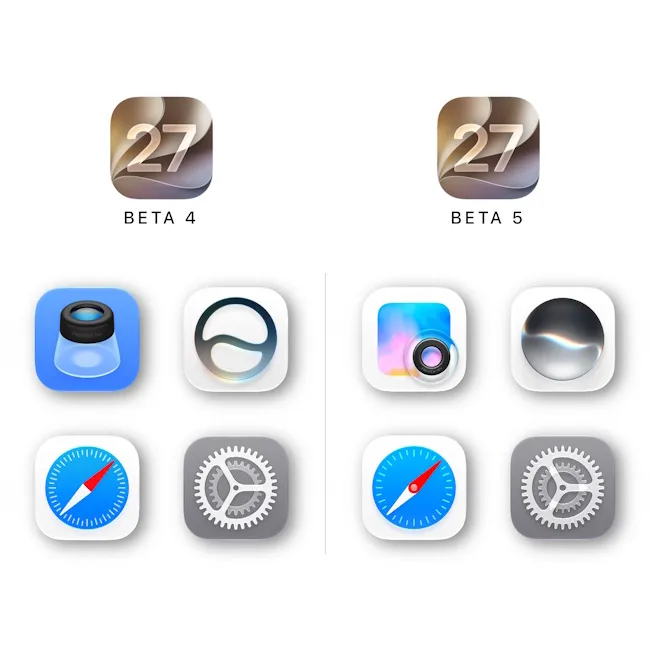
Right off the bat, the biggest change in the iOS 27 public beta 3 release is refreshed iconography for iPhones. Apple has redesigned the Safari, Preview, Siri and Settings app icons to take them on par with Liquid Glass aesthetics.
The Cupertino brand previously added a new Liquid Glass slider in iOS 27, letting users adjust the level of intensity for transparency effects. Users can switch between a completely transparent and clean look or a more frosted and translucent UI and UX design.
The next big update is to Siri AI, specifically its voice capabilities. iOS 27 public beta 3 has added British English as one of the 17 supported languages. Users can also choose from multiple voice options with custom accents and tones based on preferences.
The new iOS 27 public beta update also carries forward the "Pace" and "Expressivity" voice control features of Siri AI from the iOS 27 developer beta 5 release. Moreover, the new update also carries forward the Siri voice selection menu interface design and the ability to invoke Siri AI by swiping down from the Dynamic Island.
Moving on, Apple is also using the iOS 27 public beta 3 build for Spotlight Indexing. The iOS 26.6 Release Candidate update was first spotted with this and subsequently, following developer and public beta builds of iOS 27, were also added to the list. The iOS 27 beta 3 build is the latest one before the stable iOS 27 rollout.
Also, just like the iOS 27 public beta 2 update, the public beta 3 release also brings Screen Time and Parental Control overhauls. Users can now set which system apps kids have access to in the first place. This is accessible via Setup Assistant and also allows parents to set Time Allowances, App Schedules and more.
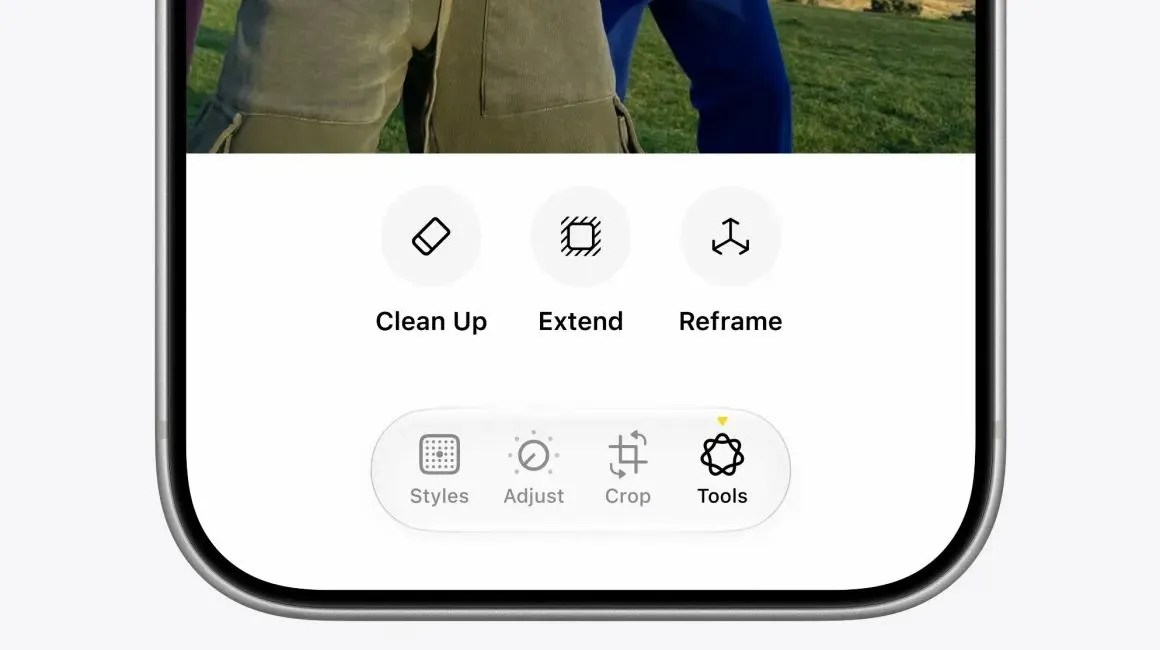
On the Apple Intelligence front, the Photos app in iOS 27 public beta 3 bears the "Zoom Photos to Fill" toggle from the public beta 2 release. The app also expands access to Extend, Clean Up and Spatial Reframe editing tools to general users.
iOS 27 public beta 3 also improves iPhone performance. The CPU scheduler is now optimised to deliver a smooth Home Screen, Control Centre and Lock Screen experience. This enhancement seeps all the way to the iPhone 11. The update also ensures smarter Wi-Fi and cellular data switching.
Beyond features, the iOS 27 public beta 3 update also brings several quality-of-life improvements to iPhones. Users can now save any video frame as a photo with a single tap, adjust alarm volume independently and extra-large widgets can now fill an entire Home Screen page.
Meanwhile, AirPods get a custom equaliser and iPhones can connect directly to compatible GymKit equipment at the gym. On the other hand, FaceTime now supports simultaneous front- and rear-camera video on iPhone Air and iPhone 17 models.
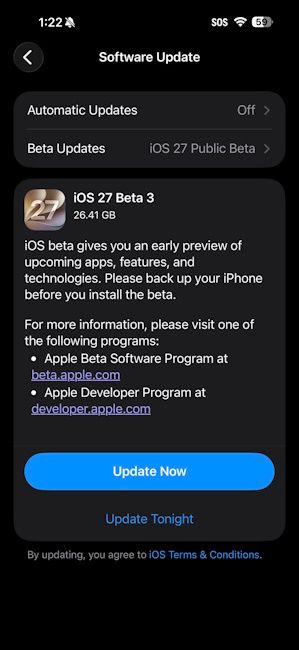
That said, the iOS 27 public beta 3 update can be downloaded by heading over to Settings -> General -> Software Update -> Beta Updates on eligible iPhones.
Check out our detailed guide on how to install the iOS 27 public beta that walks you through installing the iOS 27 public beta 3 update.
For clarity, those with at least an iPhone 11 can get the update, although the more advanced AI features will be limited to Apple Intelligence-eligible devices only. With the second public beta now out, Apple is expected to continue seeding further builds over the coming weeks before announcing the stable iOS 27 update in September 2026, alongside the iPhone 18 series and the foldable iPhone Ultra.
Related Articles


