





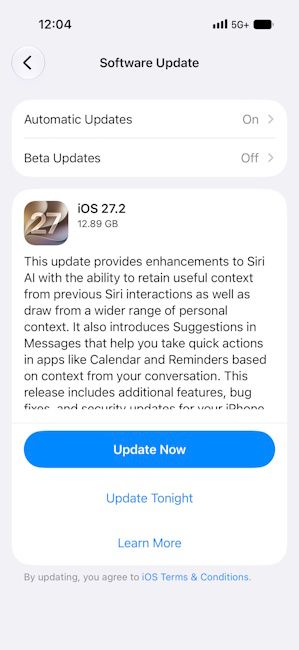
After weeks of beta testing, Apple has finally released iOS 27.2 for everyone. The update arrives just days after the iPhone Duo went on sale and brings a bunch of upgrades to Siri AI, Messages, Photos and FaceTime.
iOS 27.2 Update: What's New?
The biggest changes in the iOS 27.2 update are to Apple's Siri AI. Siri can now remember users' past conversations. This means you can ask Siri about something it suggested earlier, like a restaurant and it will know what you mean.
Siri AI can also pull information from more places now. These include photos in Messages, Calendar event attendees, voicemails and Safari history and Reading List. On top of that, a new Excluded Apps setting lets users choose which apps Siri, Search and suggestions can access, all from one place.
Users will also be able to copy just a part of Siri’s response. Moreover, Siri AI now supports five new languages: French, Japanese, Korean, Portuguese and Spanish. However, keep in mind that Siri AI only works on the iPhone 15 Pro and later models, such as the iPhone 18 Pro and iPhone 18 Pro Max. You can check the full list of Siri AI compatible iPhones here.
Apart from Siri AI, iOS 27.2 brings several new features across Apple’s apps. Here’s a quick look:
- Messages: New Suggested Actions offer shortcuts based on chats, like adding a calendar event or a reminder.
- Photos: Shared Albums now let users edit captions and comments, avoid duplicate photos and get a reminder before an album expires. Photos edited with AI tools now get a SynthID watermark.
- Apple Music: A new black-and-white app icon replaces the red one. Blue replaces red as the accent colour and widgets get black backgrounds.
- FaceTime: Dual Capture now works in Group FaceTime calls, so users can share their front and rear camera views together. They can also add a sign language interpreter or live captioner to a call.
- Apple TV: New Simple Profiles give each person in home their own profile, watch history and recommendations.
- Apple Podcasts: The Home tab now has separate New Episodes and Continue Playing sections.
- Home: New Lock After Closing and Door Left Open options for supported smart locks.
- HomePod: A new Lock Controls setting stops accidental taps from playing audio.
- Games: The Friends tab now shows why a friend is suggested and their recent games.
If you own an iPhone Duo, there’s good news too. iOS 27.2 adds Apple Pencil support for the iPhone Duo. However, it only works with the Apple Pencil (USB-C). The Apple Pencil Pro and other models aren’t supported yet.
Related Articles

iOS 27.2 Misses out on the Redesigned Health App
Amidst all that is new with the iOS 27.2 update, one of the features that Apple tested extensively with public and developer betas is the new redesigned Health app. However, it is missing from the latest update.

In fact, Apple first removed the redesigned Health app in the iOS 27.2 Developer Beta 4 update. The Cupertino brand still plans to release the new Health app in a separate update later this year.
That said, the iOS 27.2 update is now rolling out to all iOS 27 eligible iPhones and you can head over to Settings -> General -> Software Update to install the new release.
Related Articles


