





Google has been busy lately updating its popular image editing app, Snapseed, especially for iOS. The latest one embeds the Snapseed Camera access directly within the app along with new pro-grade controls and film support.
Snapseed Camera for iOS is now live for iPhone users
Spotted by 9to5Google, the latest Snapseed for iOS 3.15.0 version update embeds the Snapseed Camera directly inside the Snapseed app. It now allows users to switch from the editor mode to the camera using a dedicated toggle in the top-right corner, represented by a camera icon.
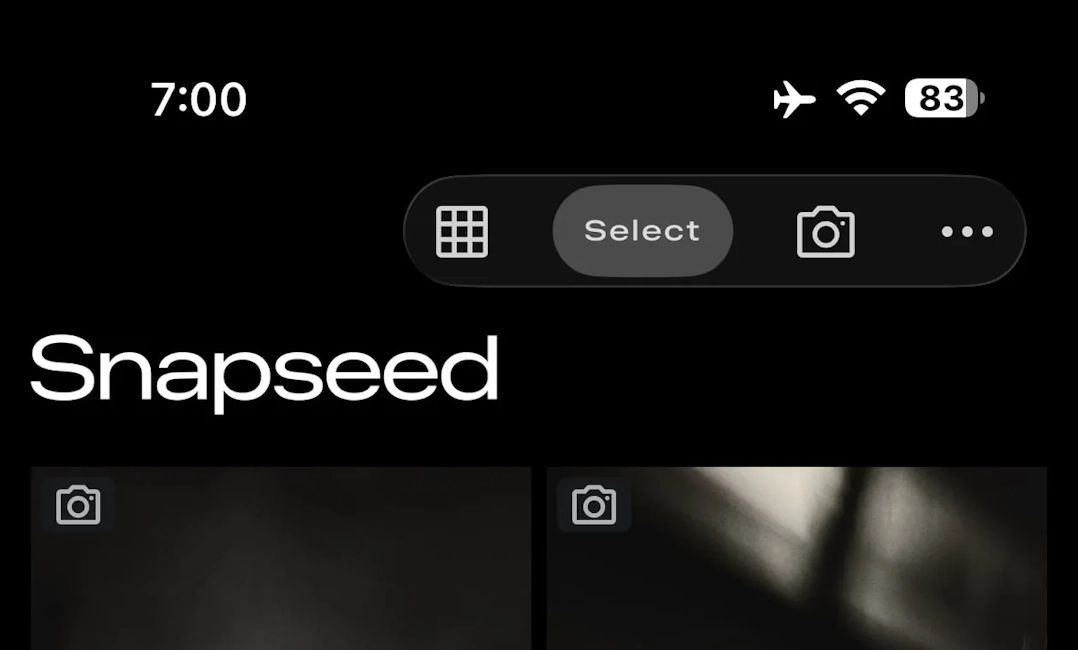
This makes switching to the camera viewfinder seamless compared to the previous implementation, where iPhone users could only launch Snapseed Camera from a dedicated Lock Screen widget, Control Centre or using the Camera Control button.
Moreover, the camera interface even supports granular image controls. Dubbed "PRO" users can toggle the feature to make manual Exposure, ISO, Shutter Speed and even Focus adjustments. There is also a skeuomorphic dial to adjust from Auto.

Aside from that, Snapseed Camera also now supports 11 different vintage film-style emulations in real-time. Users can choose from any of the following looks to get their desired look before clicking an image:
- KP1: Inspired by Kodak Portra 400
- KP2: Inspired by Kodak Portra 160
- KG1: Inspired by Kodak Gold 200
- KE1: Inspired by Kodak E200
- FS1: Inspired by Fuji Superia 200
- FS2: Inspired by Fuji Superia 800
- FP1: Inspired by Fuji Pro 400h
- AG1: Inspired by Agfa Optima 200
- AS1: Inspired by Agfa Scala 200
- PD1: Inspired by Polaroid 600
- TC1: Inspired by Technicolor
Lastly, in terms of the overall Snapseed Camera interface, Google has tweaked it a little. The Flash and zoom positions have changed, with the former being moved to the bottom-left and the latter to the opposite side.
That said, the new Snpseed Camera update is available for iPhones for free via the Apple Store. It is unclear when these changes and updates will reflect on Android, but Google has confirmed it working to bring the redesigned interface to the Play Store.
Related Articles


