


-1120w630h.webp "Android 17 illustration with easter egg on a phone screen")

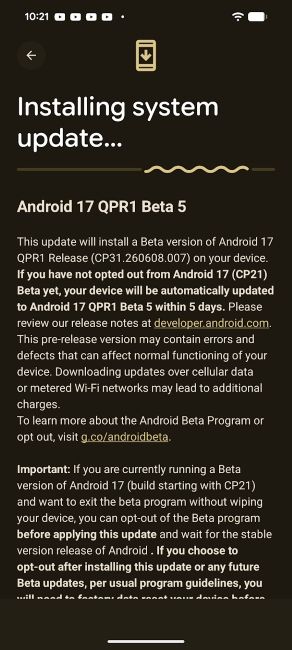
Just days after rolling out the Android 17 stable update with a host of new features, Google has released Android 17 QPR1 Beta 5 for eligible Pixel phones. The latest update introduces a few user-facing changes, including new Gemini Intelligence branding, while also squashing several bugs.
Android 17 QPR1 Beta 5 Brings Gemini Intelligence Branding
Android 17 QPR1 Beta 5 carries the build number CP31.260608.00 and is available for supported Pixel phones from the Pixel 6 to the Pixel 10 series. While the update primarily focuses on bug fixes, it also introduces a handful of changes.
Starting with the most prominent change. Google Pixel phones are now seeing a Gemini Intelligence logo during boot. For those unaware, Gemini Intelligence features were introduced at Google I/O 2026 as a system-wide AI layer for Android's upcoming agentic AI capabilities. The branding will be reserved for flagship smartphones.
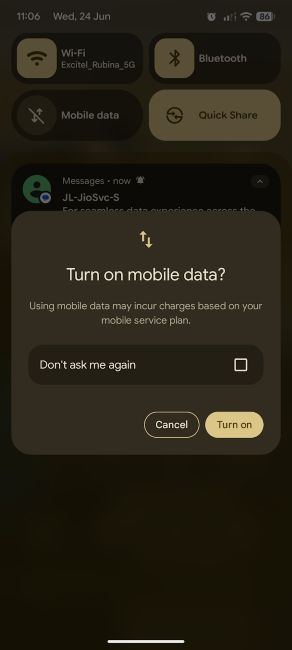
That said, the update is also rolling out a quality-of-life improvement in the mobile data quick settings toggle. Google has now added a "Don't ask me again" checkbox when turning on mobile data. Once checked, users should no longer see the warning pop-up each time they enable mobile data.
Besides, Android 17 QPR1 Beta 5 brings tons of bug fixes, starting with an issue in the Game Dashboard where users were unable to stop screen recordings or save videos. Another issue where the Camera app would freeze after opening from the idle state has also been fixed.
Google has also fixed an issue that caused the screen to freeze and the bottom bar to pixelate when waking the phone from AOD. Besides, an issue with the Download Manager failing to complete downloads when excluded from an active VPN connection has also been taken care of.
Other issues, such as inconsistent charging completion time estimates on the lock screen and screensaver, Private Space UI crashes, crashes when downloading games, issues with app bubbles and Home screen widgets have all been fixed.
Interested users can simply join the Android Beta Program and head over to Settings > System > Software updates > System update on their Android 17 eligible devices to get the update.
That said, users who want to continue testing can install the update and give feedback, whereas those who want to return to a stable version without wiping their data should refrain from updating their Google Pixel phones.
Related Articles


