





After the official iOS 26.2 rollout last week, it is now time for iPhone owners to enjoy the first beta update of iOS 26.3. This new build is now rolling out to eligible iPhones and brings some Liquid Glass refinements, new app features and more.
iOS 26.3 Beta 1 brings UI tweaks and new app updates
The latest beta build comes just three days after the official iOS 26.2 update was shipped to all the iOS 26-supported devices. The first change has arrived in the form of the Liquid Glass interface. Users will now have a more granular slider to adjust the opacity of the lock screen clock.
The next update has arrived in the form of first-party app updates. Offline lyrics support is now finally live in Apple Music. Users can now access the lyrics of their favourite songs without the need for an active internet connection.
Also, for Apple Podcast users, Apple has added the ability to listen to auto-generated podcasts using AI. It has also gained clickable links, redirecting users to the reference shows. There are also updates to the Games app, which now features new filters for sorting games by category or size. Controller support has also been improved along with live challenge score banners during gameplay.
Another area where iOS 26.3 Beta 1 has brought changes is the way iPhones share files. With AirDrop verification codes, users can easily share files with people outside the contact list by simply sharing a code between them. This ensures the user's privacy and eliminates the hassle of saving a contact before sharing.
Other noteworthy updates include new features to the Reminder App, which now lets users trigger alarms and timers for urgent tasks by bypassing Focus Mode. This ensures that high-priority notifications can get through at any time of the day.
The iOS 26.2 update is now rolling out globally for iPhone 11 and newer models, along with the iPhone SE 2. Users can check for availability by navigating to Settings -> General -> Software Update.
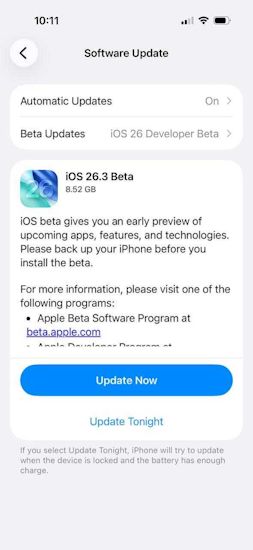
That said, eligible users can install the iOS 26.3 Beta 1 update by heading over to Settings> General> Software Update> Update Now. The update is currently going live from the iPhone 11 to the latest iPhone 17 series.
Related Articles


