





Apple released the stable iOS 27 update earlier this month, but it wasn’t entirely smooth sailing. Some iPhone 18 Pro and iPhone 18 Pro Max users soon ran into a frustrating Face ID bug that could unexpectedly restart their phones. Now, Apple has rolled out iOS 27.0.1 to fix the issue, along with two other bugs.
iOS 27.0.1 Update: What's New?
The iOS 27.0.1 update is rolling out now to all iOS 27 eligible iPhones. The update is 1.21 GB in size and lists all the fixes it brings with it.
The biggest fix shipped with the iOS 27.0.1 update is for the Face ID bug on the iPhone 18 Pro and iPhone 18 Pro Max. According to Apple's release notes, these phones "may unexpectedly restart when Face ID fails to authenticate."
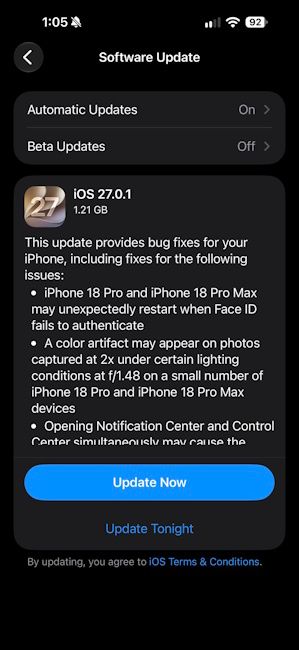
Users first started reporting this issue in mid-September 2026. When Face ID failed to recognise them, their iPhone would freeze for a moment and then reboot. Some users also saw a "Face ID is unavailable" message during setup, while others had trouble with the attention-aware settings.
Apple had already promised to fix it in a software update, and iOS 27.0.1 is that fix. For a phone that costs well over a lakh in India, a bug like this is frustrating. So, if you own an iPhone 18 Pro or 18 Pro Max, you should install this update right away.
The second fix is also for the iPhone 18 Pro models. Apple says a colour artifact may appear in photos taken at 2x zoom under certain lighting conditions. The issue shows up when the camera uses the f/1.48 aperture.

For those unaware, the iPhone 18 Pro and 18 Pro Max come with a variable-aperture main camera. This lets the camera change how much light it lets in, and f/1.48 is its widest setting. Apple says this glitch only affected a small number of iPhones.
As for the third fix, it isn't limited to the new iPhone models. On iOS 27, opening Notification Center and Control Center at the same time could make the touchscreen stop responding. According to reports, it only took a couple of quick swipes to trigger it. The iOS 27.0.1 update fixes this specific bug as well.
That said, to download and install the new iOS 27.0.1 update users can head over to Settings -> General -> Software Update.
Related Articles


