





Nothing's own Gallery app is very barebone when it comes to features. It recently gained a slew of editing tools and filters for photo editing, but its nowhere near what Google Photos offer. Now, the Nothing Gallery app is getting a fresh new update which adds even more editing tools, making it feature rich than before.
Nothing Gallery App New Update Features
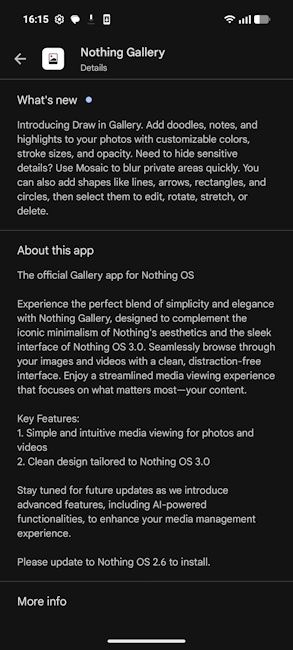
Nothing Gallery's version 2.9.0.0513 is now rolling out to all Nothing users, bringing new photo editing features for a more intuitive experience. We got the update on our Nothing Phone (4a) and it builds on the existing Nothing Gallery editing tools and adds new options like text editing and batch selection to the mix.
Users can now add texts directly on any photo and video in four signature Nothing fonts - Inter, NDot, Ntype and Mono. It also allows the option to place the text anywhere on the screen, rotate it, add a background, change text colour and flip the text.
Moreover, the update has also introduced the option of batch selection letting users select multiple media files at once for actions like batch deletion, sharing and to create an album, duplicate or even hide. Lastly, with advanced sorting, Nothing Gallery will now support by date, type or edits.
Related Articles

New Nothing Widget Update Expands Breathing Break to More Phones
Alongside the new Nothing Gallery update, a fresh Nothing Widgets update also went live on the Google Play Store, which added the new Breathing Break widgets on my Nothing Phone (2). It has brought three separate home screen tiles for - Calm, Relax and Focus.

The feature first arrived with the Nothing Phone (4a) and Phone (4a) Pro, and is currently rolling out to all Nothing OS 4.1 eligible devices and the list includes:
- Nothing Phone (3a)
- Nothing Phone (3a) Pro
- Nothing Phone (3a) Lite
- Nothing Phone (2a)
- Nothing Phone (2a) Plus
- Nothing Phone (2)
- CMF Phone (2) Pro
- CMF Phone (1)
That said, to update to the latest Nothing Gallery and Nothing Widgets versions, head over to the Google Play Store. While the Nothing Widgets app update is available right away, the Gallery features are rolling out in batches meaning it will expand to all Nothing and CMF users in the coming days.
Related Articles


