


The stable release of Samsung's One UI 9.0 update is almost here. After the mild and rather incremental One UI 8.5 update, One UI 9.0 feels like a big step forward. It's an exciting update, especially in terms of better AI integration, deeper customisation, and a few unique feature additions. With One UI 9 stable release on its way, here's everything you need to know about One UI 9.0, its features, supported devices, and release date.
One UI 9.0 Release Date
Samsung officially announced One UI 9.0 at its Galaxy Unpacked event on July 22, 2026. The update first became available on the devices that launched alongside it, namely, the Galaxy Z Fold 8, the Galaxy Z Fold 8 Ultra and the Galaxy Z Flip 8.
Now, after several weeks of beta testing, the stable One UI 9.0 update is rolling out for the Galaxy S26 series. As of writing, the rollout is only happening in South Korea. Samsung didn't mention when One UI 9.0 will be available globally. But it's expected to arrive very soon.

As usual, the complete rollout cycle will be staggered depending on your device. With the update already on its way to the Galaxy S26 series, the Galaxy S25 series is expected to get the One UI 9.0 update next, possibly even by the end of September 2026.
Next in line is the Galaxy S24 series, which could very likely get the stable One UI 9.0 update by early October 2026. Recently, the Galaxy S24 received One UI 9.0 Beta 2 update, which shows that beta testing has been ongoing at full tilt. It's also a positive sign for its eventual release.
The rest of the phones will follow soon after.
Related Articles

One UI 9.0 Supported Devices
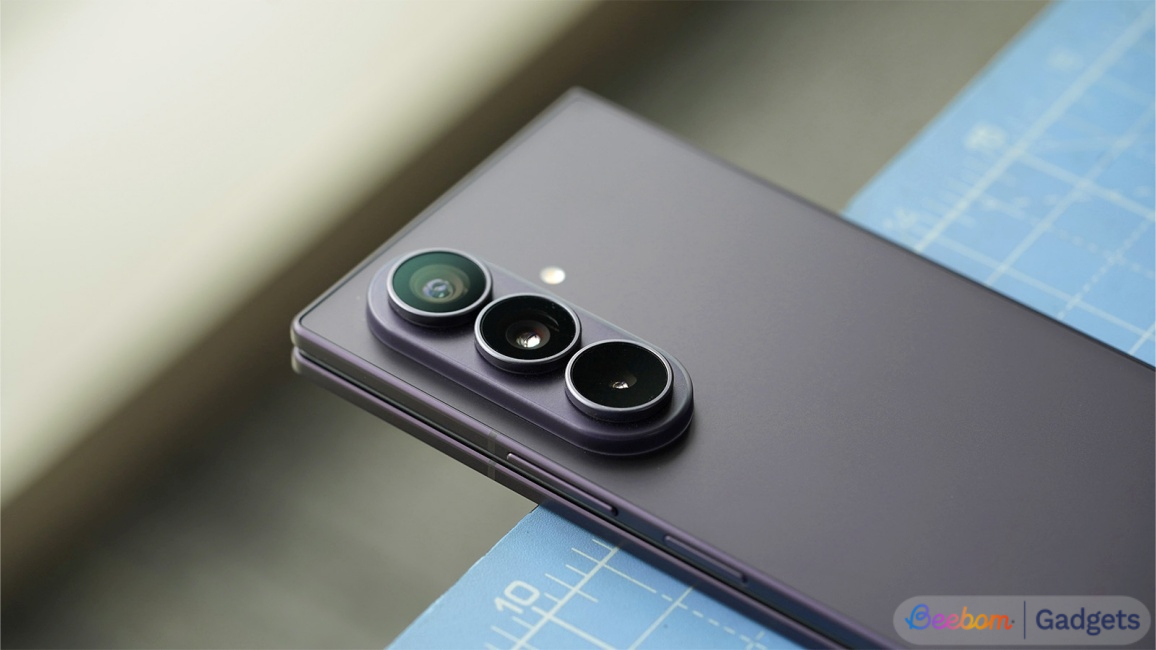
There is a long list of devices getting the One UI 9. These include select devices from the following series:
- Galaxy S series: Galaxy S26, Galaxy S25, Galaxy S24 and Galaxy S23 models
- Galaxy A series: Galaxy A57, Galaxy A37, Galaxy A26, Galaxy A17 and more
- Galaxy M series: Galaxy M56, Galaxy M36, Galaxy M17, Galaxy M07 and more
- Galaxy F series: Galaxy F56, Galaxy F36, Galaxy F70e, Galaxy F07 and more
- Galaxy Z series: Galaxy Z Fold 5, Galaxy Z Flip 5, and newer models.
- Galaxy XCover series: Galaxy Tab Active5, Galaxy XCover 6 Pro and newer models
- Galaxy Tab series: Galaxy Tab A9+, Galaxy Tab S9 and newer models
Not every device in the aforementioned series will get the One UI 9.0 update, depending on how many years of software support it has left. So, make sure to check if your device has made the list of One UI 9 eligible devices.
Related Articles

One UI 9.0 Features
One UI 9.0 is based on Android 17, which means you'll get the latest Android experience along with all the features and improvements from Samsung. Here are all the One UI 9.0 features:
Related Articles

Improved AI features
One UI 9.0 has all the new and improved AI features that come with Android 17. For starters, One UI 9 leverages the agentic abilities of Gemini Intelligence, which allows you to string together a number of tasks with just a prompt.
Gemini Intelligence can also read the contents of your screen, and the full agentic workflow is supported on more than 40 apps and services. Do note, however, that these advanced abilities require at least 12GB of RAM, Gemini Nano v3 support, and a flagship-level chip.
Next, One UI 9.0 brings Gemini Notebook to Samsung devices as a native app. With it, you can put all your documents, screenshots, recordings and notes into one place. You can then get Gemini to compile these into audio and video overviews, documents, flashcards, reports, and much more.
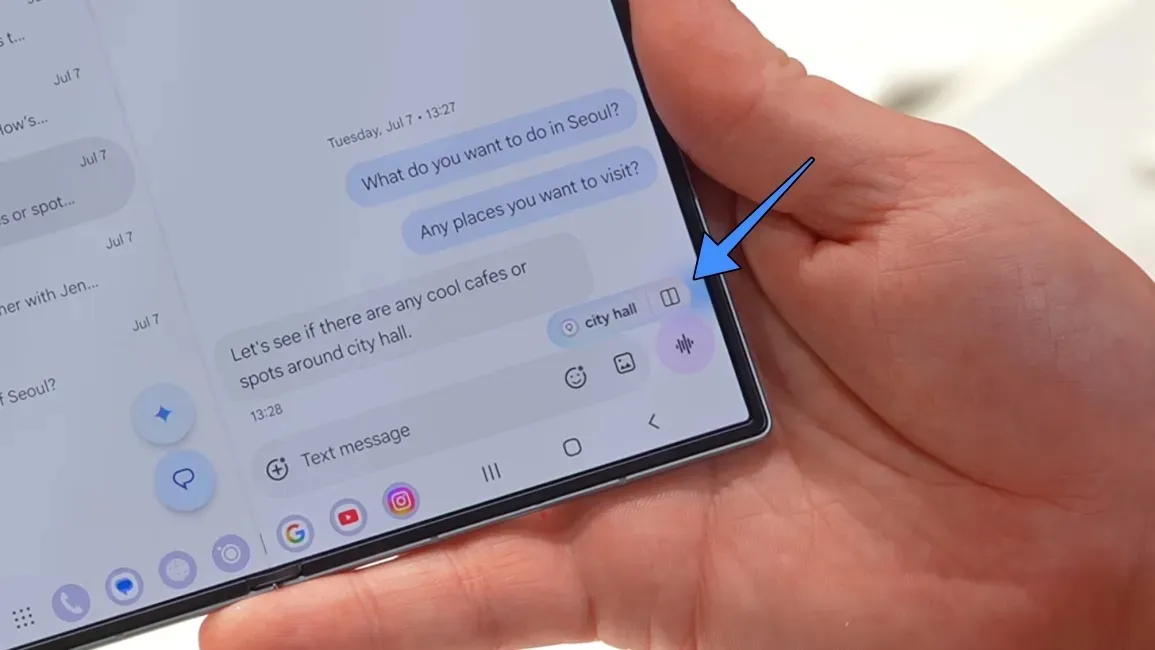
Last year's Now Nudge has also witnessed many improvements on One UI 9.0. Based on what you're doing, the feature nudges you with contextual prompts to simplify the actions you may want to take.
Now Brief is another Galaxy AI feature that gets updated with One UI 9.0. Now, you get to choose which update categories appear in your brief. On top of that, each card gets quick-action buttons, which will let you do much more, straight from the brief.
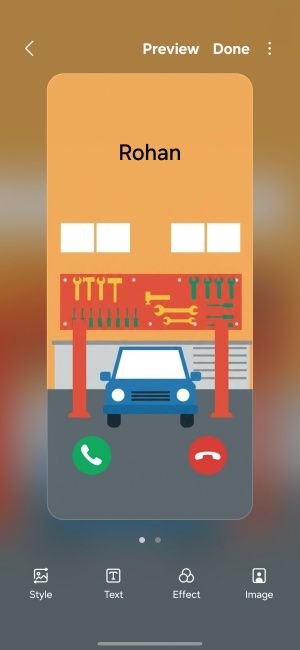
Image Credit: Beebom Gadgets
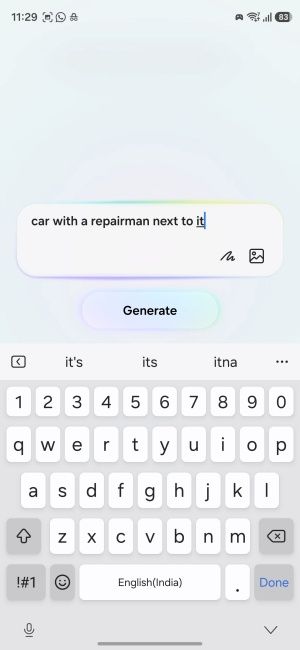
Image Credit: Beebom Gadgets
One UI 9.0 also integrates Creative Studio into the Contacts app. With this update, you can ask the AI to create personalised profile cards for your contacts, edit and customise it, and personalise how your contacts appear on your phone.
Related Articles

Quick Settings Customisation
Quick Settings panel gets a few new customisation options. You can now rearrange and customise the Quick Settings panel controls more freely.
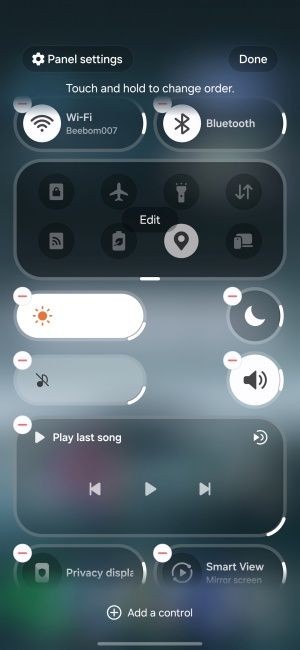
Image Credit: Beebom Gadgets
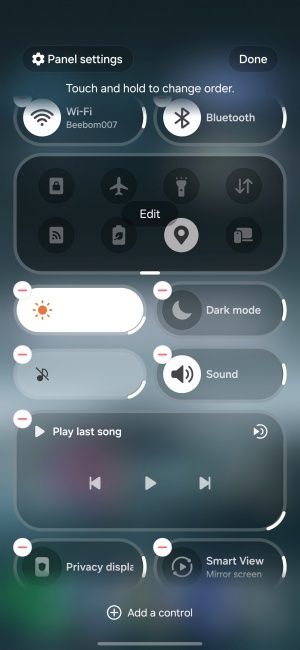
Image Credit: Beebom Gadgets
Furthermore, you can resize every Quick Settings panel, including the brightness and volume sliders and the media player section. Samsung has also separated the sound and volume sliders for more granular controls.
Related Articles

UI Improvements
The media player section gets the most notable visual improvement on One UI 9. It is more dynamic, rounded, and colourful, with the seek bar reflecting the album art colours. When the music is playing, you'll also see waveform animations on the seek bar, a nice touch that is sure to appeal to music lovers.
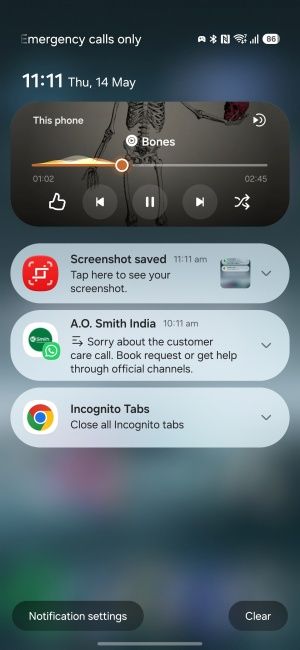
Image Credit: Beebom Gadgets
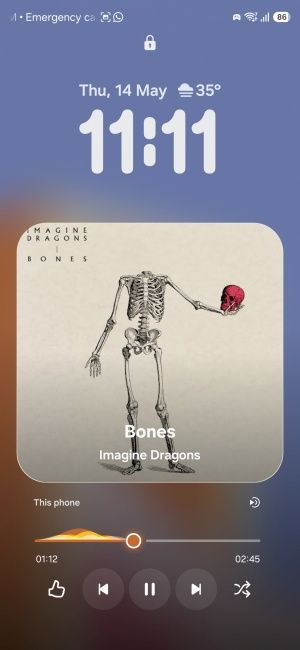
Image Credit: Beebom Gadgets
For multi-tasking on the One UI 9.0, the update now supports two-and-three app split screen layouts. Android 17's app bubble also allows apps to open in a floating window.
For wide foldables, One UI 9.0's Seamless Screen is designed to better adjust the content as you switch from cover to inner screen and vice-versa.
There's also FlexWindow support for Galaxy Z Flip 8. This turns your cover screen into a proper Home screen. So, you can open supported apps, use Quick Settings controls, check notifications, and even run AI tasks, all while your flip phone remains shut.
My FanCam
My FanCam on One UI 9.0 is where Samsung starts to flex. In a wide group video, My FanCam lets you lock the frame onto one person and follow them around. Although its target audience are concert-going fans, it's also pretty useful if you have a friend in the performing arts circle.
The feature lives inside the Gallery app, not the camera, and it works on pre-recorded videos. The tracked clip can be exported in several aspect ratios, so they are social media ready as soon as you're done.
Privacy and Security Features
One UI 9.0 gets important privacy and security protection features, some coming directly from Android 17, while some are exclusive to One UI 9.
For starters, Samsung devices with One UI 9.0 get Android 17's new location access transparency. Now, whenever an app has access to your location, you'll see a blue indicator at the top right corner.

Samsung has also improved security and privacy on the whole with on-device intelligence. One UI 9.0 now alerts you whenever there's a malicious app or a background service requesting access to your device. Samsung has also bolstered security with the updated Auto Blocker feature that better detects dangerous websites and apps and warns you before you can access or install them.
Within Samsung Notes, there's a new Tape feature that lets you cover up sections of your notes. Instead of using markup to cumbersomely draw over and hide certain things, this feature lets you easily tape over words and sentences you don't want others to see.
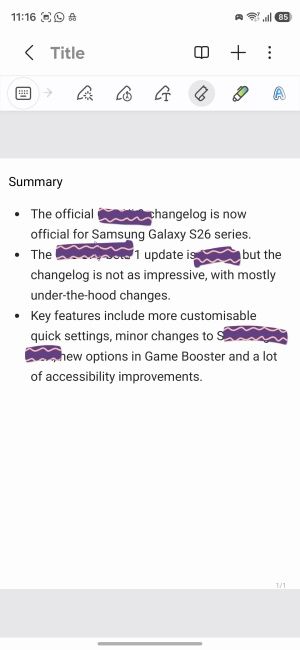
Image Credit: Beebom Gadgets
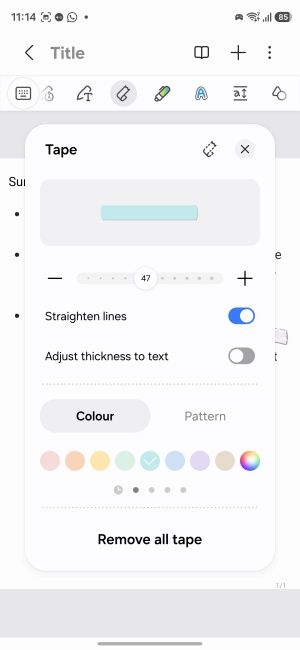
Image Credit: Beebom Gadgets
This is especially useful when you're sharing screenshots but don't want to reveal sensitive information.
Improved Game Booster Panel
The Game Booster panel on One UI 9.0 gets a massive upgrade that will immensely benefit gamers. Without leaving the game, you can now modify the screen resolution, performance mode, screenshot format, and check FPS, CPU, and GPU usage, all from the Game Booster overlay.

This way, you don't have to manually open the Game Booster app and can continue gaming without interruptions.
Tap to Share
Earlier available only for Pixel phones, Tap to Share is another Android 17 feature that becomes available to Samsung devices with One UI 9.0. With Tap to Share, you only need to bump two phones together for the file transfer to begin. Tap to Share sits inside the Quick Share settings.
Accessibility upgrades
There are a few noteworthy accessibility upgrades on the One UI 9.0 as well. Firstly, there's Text Spotlight, which lets you tap on any text to make it bigger. The text also gets highlighted and appears in a floated window for better viewing.
Then there's Select to Speak, which, as the name suggests, lets you tap on text or images on screen to hear them out loud. It's similar to Text Spotlight, but for a different modality.
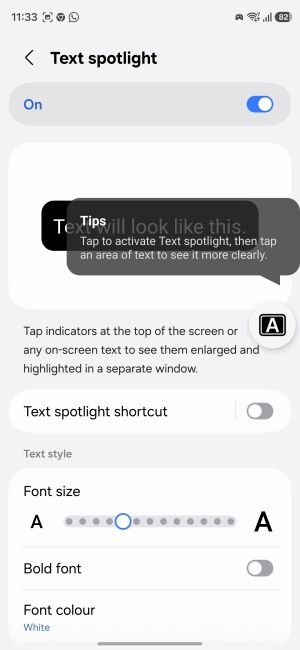
Image Credit: Beebom Gadgets
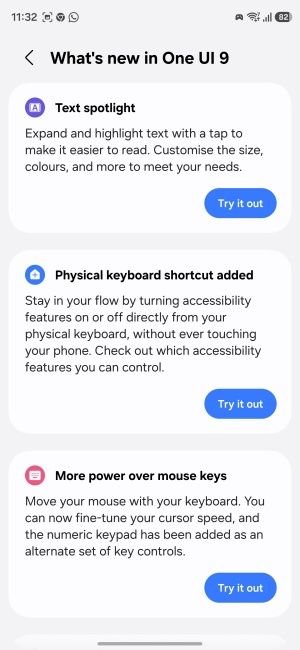
Image Credit: Beebom Gadgets
You can also now access accessibility settings from the physical keyboard itself, allowing you to turn these features on or off without touching your phone. Finally, you can now move your mouse with your keyboard and use the numeric keypad to point and click. The mouse movement speed can be tuned for finer controls.
And that is everything you need to know about the One UI 9.0 update. It's a healthy update with plenty of new additions and improvements across several existing features. With the One UI 9.0 stable update already in its initial rollout phase, you'll soon be able to get the best that Android 17 and One UI 9.0 have to offer on your Samsung phone.


