





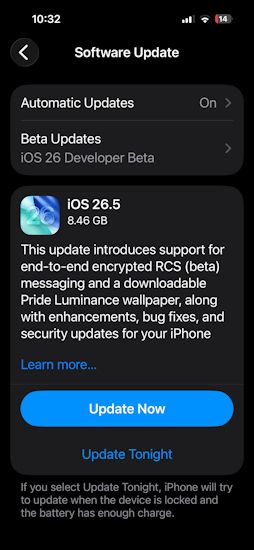
It has only been a week since the iOS 26.5 Public Beta 4 update was released by Apple and now the Cupertino brand has followed it up with the official iOS 26.5 Release Candidate update. It has tied all the previous beta and public builds together, to prep the iOS system before the final iOS 26.5 release next week.
iOS 26.5 Release Candidate Update: What's New?
Just like every other iOS 26.5 update so far, the iOS 26.5 Release Candidate also focuses on the new changes introduced to Apple Maps. On iOS 26-supported devices, Maps now include a handy "Suggested Places" feature that recommends locations, places, and relevant navigation details based on the user preference and Maps data. It often acts as a recommendation option based on visited places and search results.
Moreover, iOS 26.5 RC solidifies the foundation for sponsored adverts inside Apple Maps. It has been further expanded, allowing businesses to run sponsored ads on Apple Maps to appear at the top of search results, suggested places and recommendations. It features the same splash screen the allows users to know that ads will now appear inside Apple Maps
Also, with the new update, Apple has further expanded the support for flexible monthly App Store subscriptions. It now allows app developers to unlock month-by-month payment cycles for a fixed duration of 12 months. However, users will not be able to opt out midway.
Lastly, iOS 26.5 Release Candidate update expands interoperability features in the EU to comply with the requirements of the Digital Markets Act. Third-party smartwatches are also now being listed under supported devices for receiving notifications from iPhones running iOS 26.5 and above. This also includes Live Activities syncing. Even Apple's Magic Keyboard and Magic Mouse now support Bluetooth pairing over USB.
That said, the iOS 26.5 RC update is currently rolling out from the iPhone 11 to the iPhone 17e. Users can download and install the new update by navigating to Settings -> General -> Software Update -> Update Now, or follow our quick guide on how to install iOS 26 beta on your iPhone to make things easier.
Related Articles


