





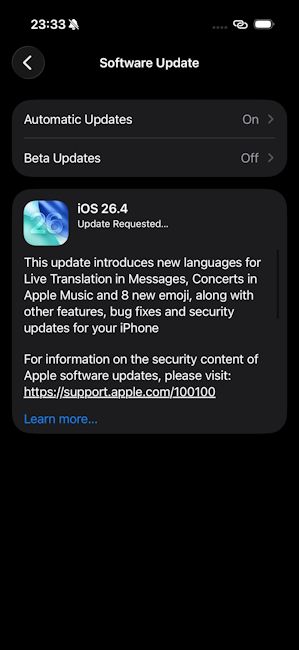
It has only been a week since the iOS 26.4 Release Candidate update dropped and Apple is now finally back with the stable general release of iOS 26.4. This makes this the final version of iOS 26.4 and it has brought with it a ton of new changes, features, bug fixes and stability improvements.
iOS 26.4 General Release Now Rolling Out
The latest iOS 26.4 stable public update comes right after Apple released the iOS 26.4 Developer Beta 4 build a few days ago. It has brought underlying software fixes and improvements for iOS 26-supported devices and retains every new feature introduced with all the previous iOS 26.4 builds.
For starters, the new build has extended support for encrypted RCS messaging between Apple Messages and Google Messages, bringing secure end-to-end encryption (E2EE) in messages for iPhone users.
It also carries forward several new Liquid Glass tweaks of iOS 26.4, like the bottom tab inside the Games app. It now integrates the Search tab alongside the Home, Arcade, Friends, and Library tabs and users can click the search option to find installed games on their iPhones. The search bar moves to the top when accessed.
Another area of change with iOS 26.4 is in accessibility. The Accessibility settings page now includes a “Reduce Highlighting Effects” toggle in the Display & Text Size menu, designed to reduce highlighting effects around the edges of buttons and sliders.
Also, with the final release, Apple has continued to keep the AI-powered Playlist Playground feature in Apple Music intact. It also carries forward the full-screen album art display from the iOS 26.4 Public Beta 1 update. The Apple Podcasts app also now supports video podcasts and the Stolen Device Protection feature stays on by default.
Aside from that, the general iOS 26.4 update has also added support for AirPods Max 2, introduced 8 new emojis in the form of orca, trombone, landslide, ballet dancer and distorted faces, and a critical iOS 26.4 keyboard bug fix.
That said, eligible users can update to the latest iOS 26.4 build by going to Settings> General> Software Update> Update Now. The update is currently going live from the iPhone 11 to the latest iPhone 17e.
Related Articles


